How Text-to-Speech Helps People with Vision Loss

Text-to-speech (TTS) technology provides people with vision loss an essential tool for accessing digital and printed content independently. By converting written text into spoken words, TTS enables users to navigate websites, read emails, and manage daily tasks like reviewing menus or filling out applications. This technology supports education, work, and everyday activities, offering a practical solution to accessibility challenges.
Key insights:
- 8 million people in the U.S. live with blindness or low vision.
- 96.3% of top websites have accessibility issues, creating barriers.
- TTS uses AI to produce lifelike audio, assisting with reading, navigation, and more.
- Tools like TTSBuddy offer free features, including multi-language support, voice options, and offline downloads.
TTS empowers individuals with vision loss to handle tasks independently, improving access to education, work, and daily life.
Web Accessibility Perspectives: Text to Speech
How Text-to-Speech Technology Works
Converting Text to Speech
Modern text-to-speech (TTS) systems rely on neural networks and deep learning to create voices that sound almost human. The process starts with text normalization, where abbreviations (like "Dr." to "doctor") and symbols (like "$10" to "ten dollars") are expanded. Then, linguistic analysis determines the proper pronunciation based on context, while adding natural elements like rhythm, pitch, and pauses to make the speech flow smoothly. The text is then converted into a spectrogram - a visual map of sound frequencies. Finally, a vocoder transforms this spectrogram into an audio waveform, producing the speech. These advancements allow for a high level of customization, making the technology adaptable to individual needs.
Adjustable Features for Different Needs
Today's TTS tools come packed with features that cater to various user preferences. Playback speed can be adjusted to suit individual pacing, and synchronized text highlighting offers a combined visual and auditory experience. Users can also choose from a variety of AI-generated voices, often available in multiple languages - some systems support over 50. Advanced features like semantic navigation make it easy to move through headings, lists, or tables, improving usability [1] [2]. Plus, seamless integration across devices ensures that users can enjoy these personalized options wherever they go.
Using TTS Across Different Devices
TTS technology functions effortlessly on laptops, tablets, and smartphones, thanks to built-in support on platforms like macOS, Windows, Android, and iOS. For users with complete vision loss, specialized screen readers provide advanced features, such as announcing links, describing images, and navigating structured elements. This compatibility across devices empowers individuals with vision loss to independently access and navigate the digital world. To ensure TTS works smoothly, websites need to use semantic HTML with properly structured headings, lists, tables, and text alternatives for images and icons [1].
Benefits of Text-to-Speech for People with Vision Loss
Greater Independence in Daily Tasks
Text-to-speech (TTS) technology offers individuals with vision loss a way to independently access printed text, from personal letters and books to critical safety labels. It even provides descriptions of images, helping users better understand visual content [3]. Screen readers take this a step further by identifying headings, links, and alternative text for images, making digital navigation smoother and more efficient [1].
"Reading machines enable printed texts such as letters, books, magazines, newspaper articles, medical packaging, food labels and much more to be read aloud, naturally and fluently." - Humanware [3]
Access to Education and Work Materials
TTS isn't just about daily tasks - it plays a key role in education and work. In schools, it transforms textbooks and lecture notes into audio, allowing students to study at their own pace [4]. This audio support reduces the strain of reading and helps learners focus on grasping the material. For those with partial vision or additional challenges like dyslexia (which affects around 10% of the UK population), certain TTS tools highlight text as it’s read aloud, combining visual and auditory input for better understanding [5].
In professional environments, TTS assists with navigating software, managing emails, and working on documents via real-time audio feedback [4]. Screen readers also provide descriptions for images and icons, ensuring that visual elements in reports or presentations remain accessible [1].
"TTS tools empower users to listen to digital content, fostering independence and autonomy." - Respeecher [4]
Everyday Uses of Text-to-Speech
Beyond work and school, TTS enhances everyday life by supporting common tasks. Portable TTS scanners allow users to read pill bottles, recipe cards, mail, and menus [6]. This is particularly helpful in public settings where privacy is important, as devices with headphone jacks enable discreet use.
For digital tasks, screen readers simplify activities like managing emails, writing documents, and interacting with smart home devices [6]. Navigation apps equipped with TTS provide turn-by-turn directions and real-time updates, making travel in unfamiliar areas more manageable [4]. Even for individuals with some usable vision, TTS can reduce the strain of reading small text or leaning close to screens, offering a more comfortable and accessible digital experience [6].
"A screen reader can also be the product of choice for someone with vision that is useful for travel, but not for reading. In the long run, learning to listen to speech output will prove more productive for such individuals than struggling to read text while leaning close to the computer screen." - American Foundation for the Blind [6]
TTSBuddy: A Solution Built for Accessibility
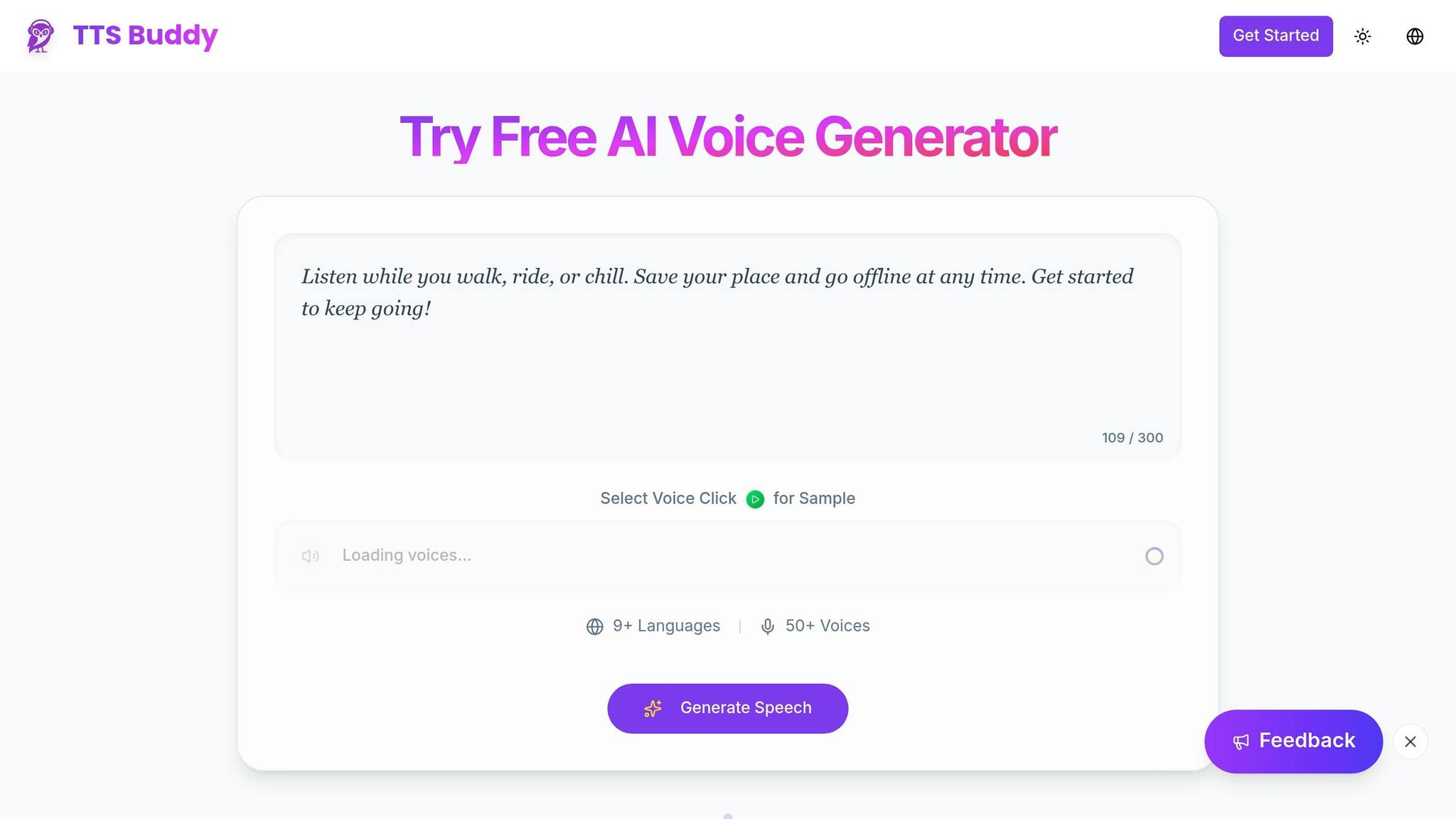
What TTSBuddy Offers
TTSBuddy is a free AI-powered text-to-speech tool that prioritizes accessibility. It converts any text or webpage into natural-sounding audio and supports 30+ language modes and 300+ voices. Key features include device syncing via the Listen Link dashboard, adjustable playback speeds (from 0.5x to 1.5x), a Chrome extension for voice-based webpage interaction, document conversion for PDFs and emails, offline downloads, and one-click Markdown copying. These tools are designed to deliver a smooth and accessible experience, particularly for individuals with vision loss.
How TTSBuddy Supports People with Vision Loss
TTSBuddy's features are tailored to meet the needs of users with vision loss. Its conversational interface eliminates the need for visual interaction, enabling users to navigate web content using voice commands and receive responses in lifelike audio. Offline downloads ensure that essential content is available without relying on a screen. Additionally, the Listen Link library keeps all converted content organized and accessible across devices, so users don’t have to repeatedly locate or convert the same material.
Why TTSBuddy Is Free to Use
TTSBuddy is committed to ensuring accessibility for everyone, which is why it remains free. The philosophy is straightforward: accessibility should not come with a price tag. The free plan includes 120 minutes of text-to-speech and 30 audio downloads per month, with no credit card required [7]. A 2023 study highlighted the benefits of OCR+TTS tools, showing significant improvements in vision-related quality of life, with all participants expressing satisfaction [8]. By eliminating financial barriers, TTSBuddy ensures these advantages are available to anyone who needs them.
"TTS Buddy is built for people with accessibility needs - and it's free." - TTS Buddy Documentation [7]
Real-World Impact of Text-to-Speech Technology
How TTS Improves Daily Life
Text-to-Speech (TTS) technology is breaking down barriers, making everyday tasks more accessible and manageable. For instance, navigation apps that provide turn-by-turn audio directions make independent travel easier and safer. At home, voice assistants like Alexa and Siri deliver audio feedback for tasks such as adjusting the lights, checking the weather, or playing your favorite playlist. TTS combined with Optical Character Recognition (OCR) technology can even convert printed or digital text - like mail, messages, or emails - into audio, allowing users to access information independently. These practical applications highlight how TTS enhances daily life, as well as academic and workplace environments.
Examples from Education and Workplaces
Consider the story of Beno Zephine, who has been blind since birth. Using JAWS, a TTS software, she prepared for India’s Union Public Service Commission examination between 2013 and 2015. Her hard work paid off when she ranked 343rd out of over 11,000 applicants, becoming the first fully blind officer in the Indian Foreign Services.
Ahmed, a law student, took a different approach. He converted lecture notes into audio files using TTS, which he listened to during his daily commute. This strategy cut his study time by 70% without compromising his academic performance.
In the workplace, Fatima, an accountant with visual impairment, used TTS to review financial reports and emails. This adaptation boosted her productivity by 50%. These examples demonstrate how TTS is empowering individuals, fostering independence, and improving efficiency in both educational and professional settings.
"Voiceitt changed my life! Now I can easily dictate emails and work documents on my computer and phone, giving me more time to think about what I want to write." - Michael Cash, Product Specialist, Voiceitt [10]
Tips for Using TTS Every Day
To get the most out of TTS, try incorporating it into your daily routine. Start by adjusting the playback speed to suit your preferences - research suggests that comprehension is best at speeds between 140 and 180 words per minute [11]. Download audio files in formats like .m4a so you can access them offline, whether you're commuting or traveling. Use TTS during multitasking activities like cooking, exercising, or commuting to make better use of your time. Opt for more natural-sounding voices to minimize listening fatigue. For more complex documents, look for tools that offer bi-modal reading, which highlights text on the screen while reading it aloud. This feature can help improve focus and retention [11].
Conclusion
Text-to-speech (TTS) technology has become a game-changer for the 2.2 billion people around the world living with vision impairment or blindness [9]. It reshapes how individuals access information, complete daily tasks, and fully engage in educational and professional settings. By allowing users to independently read private mail, bank statements, or detailed work documents, TTS offers a level of privacy and independence that traditional assistance methods often cannot provide.
Today’s AI-powered TTS systems produce speech that sounds so natural it reduces listener fatigue. From converting college textbooks into audio files to using OCR to read grocery store labels or managing emails without help, TTS seamlessly adapts to the variety of formats and situations people encounter every day.
TTSBuddy exemplifies this dedication to accessibility by offering lifelike voices in 30+ language modes with 300+ voice options - all completely free. Its interactive webpage design and ability to download audio offline make it a practical tool, ensuring that individuals with vision loss can stay informed and maintain independence.
The advantages of text-to-speech technology go beyond convenience - it dismantles barriers and empowers people to lead more autonomous lives.
FAQs
Do I need a screen reader, or is TTS enough?
It all comes down to what you need. Text-to-speech (TTS) is perfect if you want to listen to text, study materials, or web pages - it’s straightforward and easy to use. But if you’re looking for something that helps you navigate through detailed webpage structures or interface elements, a screen reader is the way to go. It offers a much deeper level of support for exploring digital spaces.
How can I use TTS to read printed labels and mail?
Using text-to-speech (TTS) with Optical Character Recognition (OCR) is a handy way to read printed labels or mail aloud. Here's how it works: OCR-enabled devices or apps scan printed text, convert it into digital text, and then TTS reads it out loud. For instance, you could use your smartphone's camera with an OCR app to scan the text, and then turn on TTS to hear the content read back to you.
What should I look for in a TTS tool for vision loss?
When choosing a text-to-speech (TTS) tool for vision loss, it's important to focus on speech that sounds natural and is easy to understand - this makes longer listening sessions more enjoyable. Key features to consider include support for multiple languages, smooth handling of different text formats, and intuitive navigation. Accessibility settings like adjustable speech speed and text highlighting can make the tool even more user-friendly. Additionally, compatibility with various devices and offline functionality ensures you can access content whenever you need it, helping to maintain independence and convenience.