BonziBuddy to Modern TTS: How a Purple Gorilla Shaped Text-to-Speech History

BonziBuddy, the infamous purple gorilla from the early 2000s, introduced many to text-to-speech (TTS) technology. While remembered fondly as a meme today, it was riddled with privacy issues, earning it a controversial reputation. Powered by Microsoft's SAPI 4, BonziBuddy's robotic voice was a hallmark of early TTS but lacked the realism of modern systems.
Today, TTS tools like TTSBuddy have transformed the landscape with lifelike voices, better privacy, and practical features. Unlike BonziBuddy's intrusive software, modern tools respect user data and cater to accessibility, offering smoother, more natural speech in multiple languages. BonziBuddy's legacy serves as a quirky reminder of how far TTS has come.
The Evolution Of Speech Synthesis - Text To Speech
What Was BonziBuddy?
BonziBuddy introduced many users to the concept of voice-driven interactions during the early days of digital assistants, laying groundwork for ideas seen in today's accessibility tools. It was a freeware virtual desktop assistant that gained popularity between 1999 and 2004. Developed by Joe and Jay Bonzi of Bonzi Software, Inc., the program was based on Microsoft Agent technology. Initially, BonziBuddy featured a green parrot named Peedy when it launched in 1999, but by May 2000, it switched to the purple gorilla that became its iconic character. Let's take a closer look at its origins and features.
Features and How It Worked
The purple gorilla came packed with features designed to entertain and assist users. BonziBuddy could:
- Tell jokes and share random facts
- Manage downloads
- Sing songs like "Daisy Bell"
- Read emails aloud
- Help users with scheduling tasks
Its voice, generated using Microsoft Speech API 4.0 (SAPI 4), had a distinct high-pitched tone, making it instantly recognizable. BonziBuddy was marketed as a friendly, interactive companion, and for many users - especially kids in the early 2000s - it was their first experience with a talking computer program.
The Adware and Spyware Problem
However, beneath its cheerful exterior, BonziBuddy had some serious issues. Security experts, including Trend Micro and Symantec, flagged it as adware, while Consumer Reports Web Watch went a step further, labeling it spyware with a backdoor trojan. The program secretly collected sensitive information such as browsing history, keystrokes, and personal details, often without clear consent. It also tampered with users' browsers by resetting homepages to bonzi.com, spamming pop-up ads, and displaying misleading banners that mimicked Windows system alerts.
These practices led to significant consequences. In February 2004, the Federal Trade Commission fined Bonzi Software $75,000 for violating the Children's Online Privacy Protection Act (COPPA) by collecting data from children under 13 without parental consent. Later that year, the company also settled a class-action lawsuit over deceptive advertising practices. By the end of 2004, BonziBuddy was discontinued, with BusinessWeek famously calling it "the annoying spyware trojan horse".
While BonziBuddy is remembered for its mix of charm and controversy, it also highlighted the importance of prioritizing user safety in tech development. Its story served as a cautionary tale, influencing the evolution of text-to-speech tools with a stronger focus on security and usability.
The TTS Engine Behind BonziBuddy
Microsoft Sam and SAPI 4 Explained
BonziBuddy's voice was powered by the Microsoft Speech API 4.0 (SAPI 4), a text-to-speech framework that dominated Windows systems in the late '90s and early 2000s. Specifically, it used the "Sydney" voice (Adult Male #2) from the Lernout & Hauspie package.
Unlike today's TTS systems, which often rely on recordings of real human voices, SAPI 4 used a phoneme-based synthesis system known as Software Automatic Mouth (SAM). This technology, dating back to 1982 on the Commodore 64, converted text into phonetic sounds and applied mathematical models to generate speech waveforms. This process, called formant synthesis, essentially mimicked how the human vocal tract produces sounds.
The result? A robotic and monotone voice. While more advanced systems of the time, like AT&T's "Natural Voices", were already using unit selection synthesis to achieve more human-like speech, BonziBuddy opted for the simpler SAPI 4. Why? The engine was incredibly lightweight - requiring less than 100KB of code. This made it ideal for a free desktop assistant, even if it meant sacrificing realism for efficiency.
That unmistakable robotic tone would later become a hallmark of BonziBuddy, cementing its place in internet history.
How the Robotic Voice Became a Meme
Ironically, the same technical limitations that gave BonziBuddy its mechanical tone also contributed to its later fame. The Microsoft Sam voice, a close relative of BonziBuddy's "Sydney", became a nostalgic symbol of early 2000s computing. Its rigid, emotionless delivery found a second life online during the late 2000s.
YouTube creators embraced the voice for comedic purposes, using it in "YouTube Poop" parody videos. Gamers, too, got in on the fun - Moonbase Alpha players famously "sang" songs by carefully timing robotic phrases through the game's TTS system. The voice's lack of natural emotion became part of the joke, a throwback to the Web 1.0 era when computers sounded unapologetically artificial.
Even today, people still search for "BonziBuddy TTS generators" to recreate that iconic robotic sound. It's a reminder that sometimes, the quirkiest and most imperfect technology leaves the longest-lasting impression.
BonziBuddy's Place in Internet Culture
Memes and Online References
BonziBuddy's transformation from a controversial desktop assistant to a nostalgic internet meme took off in February 2014, thanks to Joel from Vinesauce. His "Windows XP Destruction" stream showcased the purple gorilla with its robotic greeting, "Nice to meet you, Expand Dong!" - a moment that quickly went viral.
Even before that, early YouTube parodies from as far back as 2007 painted BonziBuddy as a ridiculous, over-the-top character. What was once an intrusive and frustrating piece of software was humorously reframed as a quirky throwback to the internet's earlier days. Adding to this revival, modern text-to-speech (TTS) generators now include a "BonziBUDDY" voice preset. This lets creators replicate the gorilla's iconic robotic tone without the headaches of dealing with the original program. This reimagining of BonziBuddy has cemented its place in internet history as both a meme and a nostalgic artifact.
Why People Still Remember BonziBuddy
BonziBuddy's resurgence as a meme isn't just about humor - it's a symbol of a bygone era of the internet. For many, it brings back memories of a time when the web felt more experimental, full of oddities like desktop assistants that were both entertaining and, admittedly, intrusive.
"A terrible application that had its charm" - Eric Ravenscraft, How-To Geek
Despite its flaws, BonziBuddy's antics - whether it was swinging on vines, cracking jokes, or singing "Daisy Bell" in its signature robotic monotone - left a lasting impression. Even after its discontinuation in 2004, fans have kept its memory alive. Some have gone as far as hosting the software on fan sites, and in 2007, developer Erik Kennedy created a parody version for Mac OS X. Over time, the character has even been reimagined as a fictional villain, popping up in modern internet creations like Joel's Sims 4 Meme House and other online series.
In a world now dominated by sleek, minimalist interfaces and advanced TTS tools, BonziBuddy stands out as a reminder of both the creativity and missteps of early digital voice assistants. Its legacy lives on, not just as a meme, but as a piece of internet history that continues to spark nostalgia.
How TTS Has Changed Since 2004
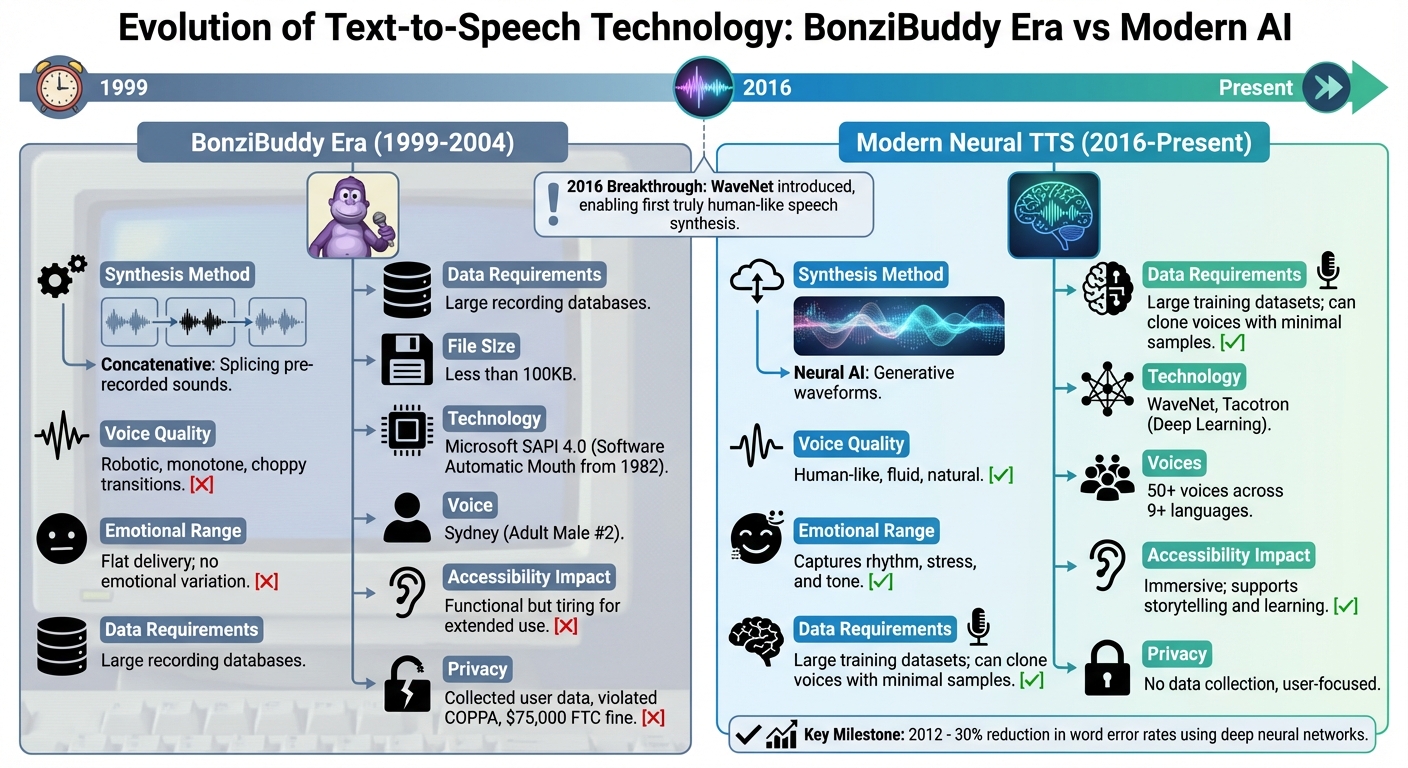
Old vs. New: Concatenative vs. Neural TTS
Back in the day, BonziBuddy's voice was powered by concatenative synthesis - a method that pieced together pre-recorded bits of speech, like phonemes or syllables, to create sentences. While this was a step up from earlier methods, the transitions between these chunks often sounded clunky and mechanical.
Fast forward to today, and modern text-to-speech systems have taken a completely different route. Instead of stitching together audio clips, neural TTS systems - like WaveNet and Tacotron - use deep learning to generate speech from the ground up. These systems analyze massive datasets of human speech to learn the intricate patterns of rhythm, stress, and intonation. For instance, Google DeepMind's WaveNet, unveiled in 2016, creates audio waveforms one sample at a time. Meanwhile, Tacotron simplifies things by converting text into spectrograms, which are then transformed into audio.
One of the biggest advantages of neural TTS is its flexibility. Concatenative systems needed huge libraries of pre-recorded audio for every voice and couldn't easily convey emotions. Neural TTS, on the other hand, can mimic emotions and even replicate voices with just a few sample recordings. A pivotal moment came in 2012, when researchers from the University of Toronto and Microsoft Research used deep neural networks to cut word error rates by 30%.
This shift has brought a dramatic improvement in how natural and versatile TTS voices sound, making them far more practical and engaging.
Voice Quality: Then and Now
The difference in voice quality between the BonziBuddy era and today is striking. Microsoft Sam, for example, could handle basic text but sounded monotone and robotic - hardly ideal for long listening sessions. Modern AI voices, by contrast, are smooth, expressive, and almost indistinguishable from human speech.
Here's a quick comparison of how TTS technology has evolved:
| Feature | BonziBuddy Era (MS Sam / SAPI 4) | Modern Neural TTS (WaveNet / Tacotron) |
|---|---|---|
| Synthesis Method | Concatenative (splicing pre-recorded sounds) | Neural AI (generative waveforms) |
| Voice Quality | Robotic, monotone, choppy transitions | Human-like, fluid, natural |
| Emotional Range | Flat delivery; no emotional variation | Captures rhythm, stress, and tone |
| Data Requirements | Large recording databases | Large training datasets; can clone voices with minimal samples |
| Accessibility Impact | Functional but tiring for extended use | Immersive; supports storytelling and learning |
The leap from robotic to human-like voices has completely transformed how TTS is used, making it a tool not just for utility but also for creativity and engagement.
Modern TTS Tools That Deliver What BonziBuddy Promised
TTSBuddy for Accessibility and Learning
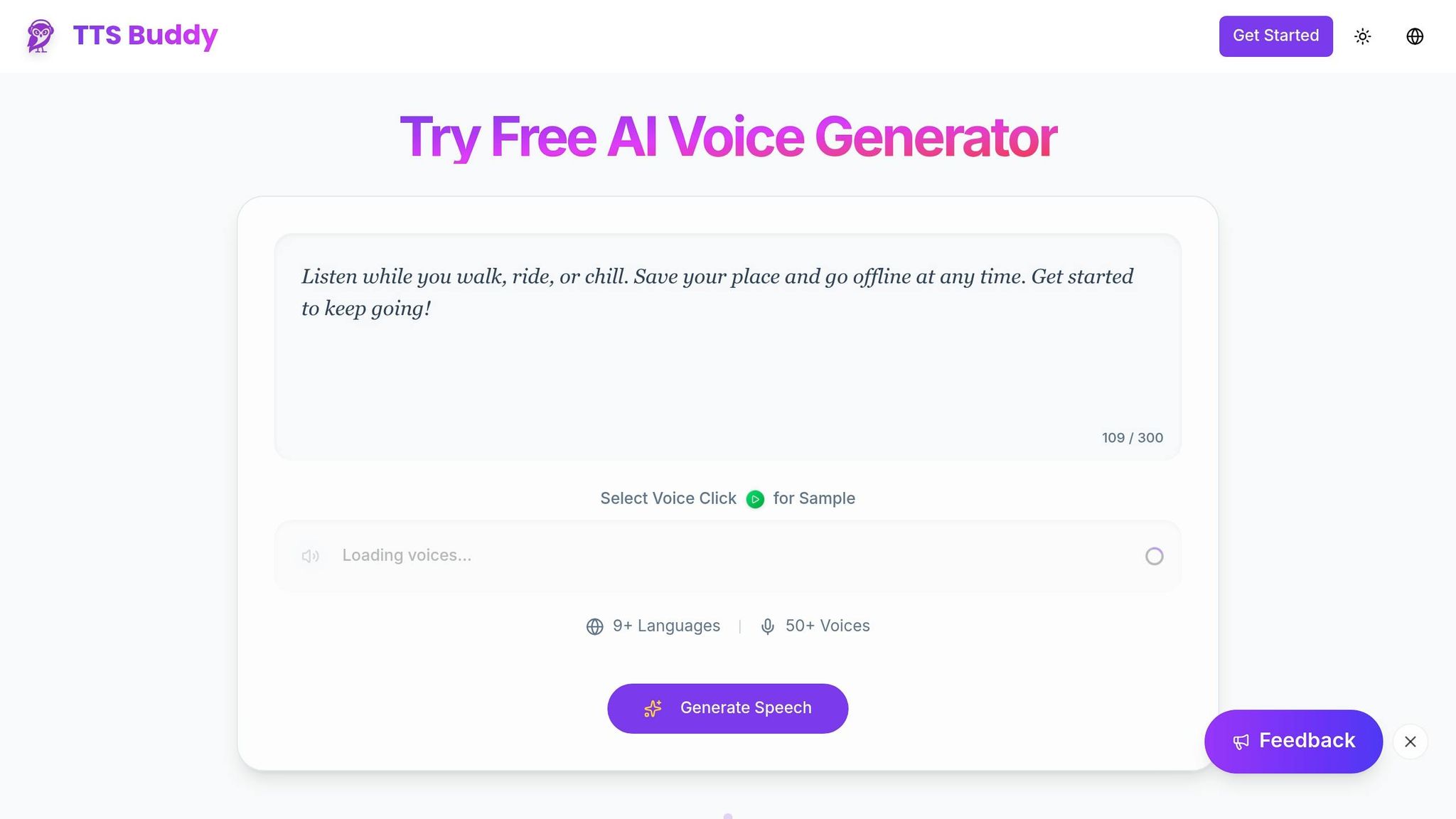
BonziBuddy once promised a friendly, voice-driven assistant but fell short, especially when it came to privacy. What if you could have that helpful reading assistant, but without the baggage? That's where modern text-to-speech (TTS) tools like TTSBuddy come in.
TTSBuddy takes the core idea BonziBuddy aimed for - making information accessible through voice - and reimagines it with today's technology. With neural AI voices, a focus on privacy, and features built for those with visual impairments or learning challenges, TTSBuddy offers a safer, more effective solution. Instead of clunky, outdated software, it integrates seamlessly into your browser, transforming any webpage into natural-sounding audio.
The difference is dramatic. While BonziBuddy relied on the robotic "Sydney" voice from Microsoft SAPI 4.0, which sounded flat and monotone, TTSBuddy uses neural TTS technology to deliver lifelike voices with proper pacing and expression. You can pick from 300+ voices across 30+ language modes, download audio for offline use, and even interact with webpages using a Chrome extension - all without worrying about invasive software or hidden risks.
For students with ADHD or dyslexia, TTSBuddy's features can be a game-changer. Its natural, expressive voices help users stay focused during long study sessions, and the ability to convert documents into audio means you can listen to your notes while commuting or exercising. Unlike BonziBuddy's intrusive ad system, TTSBuddy prioritizes privacy, offering a free, ad-free experience with no hidden data collection. These improvements make TTSBuddy a standout tool for accessibility and learning.
TTSBuddy Features and Plans
TTSBuddy provides flexible options to suit a range of needs, from basic listening to advanced accessibility tools.
| Feature | Free Plan | Pro and Ultimate Plans |
|---|---|---|
| Voice Quality | Neural AI voices | Access to 300+ voices |
| Languages | 30+ language modes | 30+ language modes |
| Chrome Extension | Voice interaction with websites | Voice interaction with websites |
| Offline Access | Download audio files | Download audio files |
| Document Conversion | Core capabilities | Higher limits and advanced document workflows |
| Privacy | No data collection | No data collection |
| Price | Free | Pro from $9.99/month; Ultimate from $49.99/month |
The free plan gives you everything you need to start listening instead of reading, while the premium plan unlocks advanced features like document-to-conversation conversion. Developers can look forward to an API plan in the near future, enabling large-scale TTS integration into their own applications.
Conclusion
BonziBuddy was spyware wrapped in a cheerful package, but it also introduced millions to the concept of computers reading text aloud. Between 1999 and 2004, that quirky purple gorilla showed users - especially kids - that computers could do more than just process keystrokes and clicks; they could talk. Despite being ranked 6th on PC World's list of "The 20 Most Annoying Tech Products" in 2007, BonziBuddy left an undeniable imprint on how we imagined digital assistants might work.
However, the software's execution was riddled with issues. It collected user data without permission, violated the Children's Online Privacy Protection Act (COPPA), and ultimately cost Bonzi Software $75,000 in penalties in February 2004. While the idea behind BonziBuddy was forward-thinking, the way it was carried out underscored the need for technology that is both respectful and genuinely helpful. This misstep laid the groundwork for the development of better, more ethical voice technology.
Fast forward to today, and modern text-to-speech (TTS) tools have taken that early vision and turned it into something truly useful. Tools like TTSBuddy now deliver natural, expressive speech, far removed from the robotic monotone of early TTS engines. More importantly, they prioritize user privacy, steering clear of the invasive practices that plagued BonziBuddy.
This shift from clunky, intrusive systems to advanced, AI-powered voices is about more than just technological progress. It's about making information accessible to everyone. Whether it's for students, individuals with visual impairments, or anyone who prefers listening over reading, today's TTS solutions offer seamless functionality, multi-language support, and respect for user privacy. By combining natural speech with a commitment to privacy, modern tools empower users in ways BonziBuddy could only hint at. While that purple gorilla is now a relic of a more intrusive era, it undeniably set the stage for the safe, accessible tools we rely on today.
FAQs
Was BonziBuddy actually spyware?
BonziBuddy was notorious for being classified as both spyware and adware. It secretly collected user data without permission and bombarded users with intrusive advertisements. These practices led to lawsuits, fines, and its eventual discontinuation in 2004.
Why did BonziBuddy's voice sound so robotic?
BonziBuddy's voice had a robotic tone because it used early text-to-speech (TTS) technology. Specifically, it relied on the SAPI 4 engine paired with the Microsoft Sam voice. Back then, these systems used basic synthesized speech techniques, which didn't capture natural intonation or smooth transitions. The result? That unmistakable mechanical sound so common in early TTS programs.
How can I safely use TTS for accessibility today?
To use Text-to-Speech (TTS) technology safely for accessibility, it's important to select tools that are trustworthy and prioritize both privacy and security. Look for software offering natural-sounding voices, offline functionality, and support for multiple languages. Be cautious of tools that gather excessive data or have potential security vulnerabilities. Sticking to well-known, regularly updated platforms ensures a secure and user-friendly experience, making it easier for individuals with visual impairments or other accessibility needs to interact with content effectively.