10 Best Text-to-Speech Tools for ADHD Study

Struggling to focus while studying? Text-to-speech (TTS) tools can help. For learners with ADHD, these tools turn written text into audio, making studying less overwhelming and more effective. Whether it's syncing text with audio, adjusting playback speed, or converting physical books into voice, these tools cater to different needs. Here's a quick look at some of the best options:
- TTSBuddy: Free, offline access, 300+ voices, supports 30+ language modes.
- Speechify: Premium features include 5x speed, AI summaries, and celebrity voices.
- Voice Dream Reader: Offers offline mode, "Pac-Man Mode" for focus, and 200+ voices.
- NaturalReader: Includes dyslexia-friendly font, OCR scanning, and 1,000+ voices.
- Voice AI: Simple interface with lifelike voices for extended study sessions.
- Immersive Reader: Free tool in Microsoft apps with distraction-free reading and grammar aids.
- Amazon Polly: Pay-as-you-go with customizable voices and offline MP3 downloads.
- Capti Voice: Playlist creation, highlighting tools, and integration with study platforms.
- Otter: Transcribes lectures into searchable notes for easy review.
- Panopreter Basic: Free offline tool for Windows, converts text to MP3/WAV.
Each tool offers unique features to support ADHD learners, from reducing distractions to enabling multitasking. Below is a comparison to help you choose the best fit.
Direct Answer: Best TTS Software for ADHD Study
The best text-to-speech software for students with ADHD is the tool that turns long readings into manageable, controllable audio. Look for natural voices, adjustable speed, document support, offline playback, and a Chrome extension so you can listen to assignments, PDFs, and web research without copying text between apps.
For many students, TTSBuddy is a strong starting point because it combines a free plan, 300+ voices, 30+ language modes, document-to-audio workflows, Web Buddy for web pages, and Offline Buddy for listening away from the screen. If your main need is side-by-side highlighting or OCR from printed books, compare it with Speechify, Voice Dream Reader, and NaturalReader before choosing.
Quick FAQs for ADHD Learners
Is text-to-speech good for students with ADHD?
Yes. Text-to-speech can reduce the friction of starting long readings, add auditory focus, and make it easier to review dense assignments while walking, commuting, or taking breaks from the screen.
What features matter most for reading difficulties?
Prioritize natural voices, speed control, document import, offline MP3 downloads, web-page reading, and short chunks. Students with dyslexia or visual fatigue may also benefit from highlighting and OCR.
Can TTS help with lengthy assignments?
Yes. Break long PDFs, chapters, or research articles into 15- to 25-minute listening blocks. For document-heavy work, see the guide to converting PDF and Word documents to audio.
Listening with Text-to-speech: Tools to Support Reading Access
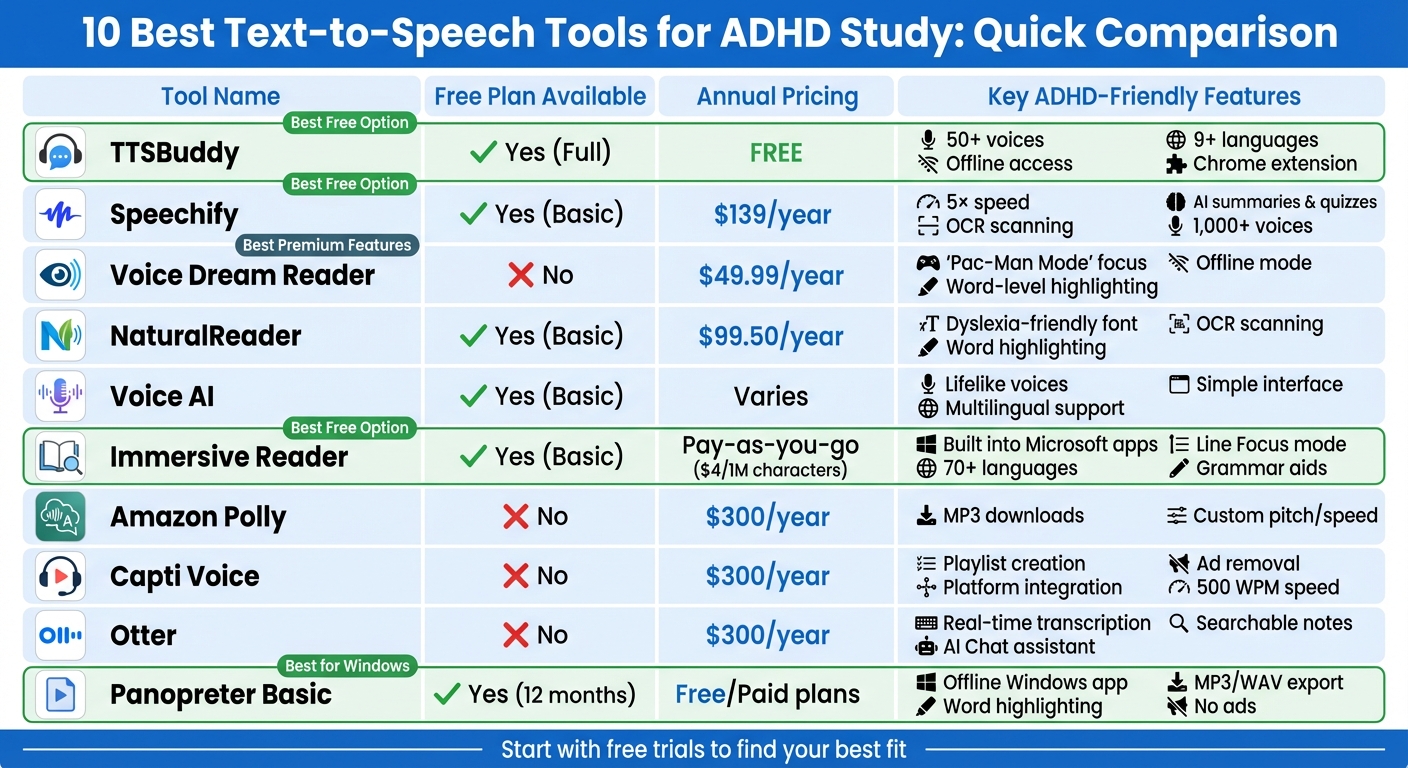
Quick Comparison
| Tool | Free Plan | Key Features | Pricing |
|---|---|---|---|
| TTSBuddy | Yes | Offline access, 300+ voices, 30+ language modes | Free |
| Speechify | Yes | AI summaries, 5x speed, OCR scanning | $139/year |
| Voice Dream Reader | No | Offline mode, 200+ voices, "Pac-Man Mode" | $49.99/year |
| NaturalReader | Yes | Dyslexia-friendly font, 1,000+ voices, OCR scanning | $99.50/year |
| Voice AI | Yes | Lifelike voices, user-friendly design | Varies |
| Immersive Reader | Yes | Grammar aids, distraction-free reading | Free |
| Amazon Polly | Yes (12 mo) | Customizable voices, MP3 downloads | Pay-as-you-go |
| Capti Voice | No | Playlists, highlighting tools, platform integration | $300/year |
| Otter | Yes | Real-time transcription, searchable notes | Free/Paid Plans |
| Panopreter Basic | Yes | Offline, MP3/WAV export, customizable speed/volume | Free |
Looking for a detailed breakdown? Compare TTS Buddy vs Speechify, review document-to-audio steps, or learn when TTS is better than human narration for study content.
These tools can simplify studying, using proven study tips to maximize focus, improve focus, and make learning more engaging for ADHD users. Start with a free option or trial to find what works best for you.
1. TTSBuddy - Built for people with accessibility needs
ADHD-friendly features
TTSBuddy takes static text and transforms it into engaging conversational audio through its Doc Buddy feature, making it an excellent tool for ADHD learners. For those on the go, the Offline Buddy allows you to download audio files, so you can study during commutes or in areas without internet access.
With the Web Buddy Chrome extension, any website can be turned into a voice chat experience. This feature makes it much easier to tackle online articles or research without feeling overwhelmed by large blocks of text. By creating a conversational and interactive format, it helps users stay focused and engaged. Plus, the platform provides options for customizing study sessions with various languages and voice types.
Language and voice variety
TTSBuddy supports 30+ language modes and offers 300+ voices, giving users the flexibility to choose the voice and language that work best for them. Whether you prefer a male or female voice or need to listen in a different language, these options make studying more adaptable to individual preferences.
Accessibility for studying
The free web interface does come with a 300-character limit per conversion, but its ability to turn documents into conversational audio makes it a great tool for breaking down complex topics into smaller, easier-to-understand segments.
Pricing and availability
The best part? TTSBuddy is completely free. It offers offline access, multi-language support, and the Chrome extension without any cost. For users needing large-scale text-to-speech capabilities, an API is in the works and will be available soon. This makes auditory learning accessible to everyone, regardless of budget.
2. Speechify
ADHD-Friendly Features
Speechify offers tools designed to help you stay engaged and focused. Its synchronized highlighting ensures you can follow along effortlessly, while playback speeds of up to 5x normal speed (around 900 words per minute) let you process information quickly. Features like Smart Skip Mode, which skips unnecessary text, and voice typing at about 160 words per minute make it easier to manage tasks efficiently. For ADHD learners, AI-generated summaries and interactive quizzes provide extra support, helping to strengthen understanding and memory.
Language and Voice Variety
With over 1,000 AI voices in more than 60 languages and accents, Speechify allows you to tailor your listening experience. Premium users even get access to celebrity voices like Snoop Dogg and Gwyneth Paltrow, which can add a fun and personal touch to study sessions. This variety makes it easy to find a voice and style that fits your preferences, keeping long study hours more engaging.
Accessibility for Studying
Speechify is compatible with a wide range of file formats, including PDF, DOCX, EPUB, TXT, and Google Docs. Its Scan & Listen feature uses OCR technology to turn physical books and printed materials into audio with just a quick photo. Browser extensions for Chrome and Edge work with tools like Canvas, Google Drive, and Dropbox, while cross-device syncing ensures you can access your study materials on any device - whether it's a phone, tablet, or computer.
Pricing and Availability
The free plan includes 10 standard voices, playback speeds of up to 1.5x, and the ability to process up to 5 files. For more advanced features, such as natural voices, 5x speed, offline MP3 downloads, and AI-powered tools, the Premium plan is available for $139 per year or $29 per month. Schools and student groups can access special pricing options. With over 55 million users and an impressive 4.7/5 rating from 435,000 App Store reviews, Speechify has earned accolades like the 2025 Apple Design Award.
3. Voice Dream Reader
ADHD-Friendly Features
Voice Dream Reader is packed with tools designed to help students with ADHD stay focused. One standout feature is its synchronized word-level highlighting, which supports "dual coding" - a method that combines hearing and seeing words to improve memory and understanding. Another innovative tool, Pac-Man Mode, was created by researchers from Harvard and MIT to eliminate re-reading by making text disappear as it's read aloud. The app also includes a Focused Reading mode that limits visible text to just 1-3 lines, which can help reduce distractions. Plus, its Smart Filter skips over unnecessary elements like headers, footers, and citations in PDFs for a smoother listening experience. Everything works offline, and you can adjust the reading speed anywhere from 50 to 700 words per minute to match your personal pace. One user, "satterbootch", shared how the app transformed their reading habits, enabling them to consume 20 times more content over five years by listening during commutes and chores. Beyond its ADHD-friendly features, the app also offers an impressive variety of voices and languages.
Language and Voice Variety
Voice Dream Reader provides access to over 200 premium voices across 30 languages. For iOS users, there are 36 built-in voices available in 27 languages at no additional cost, while macOS users get 75 voices in the same number of languages. You can even tweak the voices by adjusting pitch, volume, and pronunciation. Many users highlight the "Heather" voice as being particularly natural and lifelike.
Accessibility for Studying
This app supports a wide range of file types, including PDFs, EPUBs (DRM-free), DAISY files, Microsoft Word, PowerPoint, Google Docs, RTF, and HTML. Its OCR (Optical Character Recognition) feature is a game-changer for converting printed materials into speech - even in low-light conditions - making it perfect for digitizing handouts or library books. Voice Dream Reader also integrates seamlessly with platforms like Bookshare, Dropbox, Google Drive, iCloud Drive, Pocket, Instapaper, and Evernote, so you can access your study materials from virtually anywhere. Additionally, it syncs your library, reading progress, bookmarks, and notes across all your Apple devices via iCloud.
Pricing and Availability
You can try Voice Dream Reader free for seven days before committing to a subscription. Monthly plans typically start at $9.99, while annual subscriptions range from $59.99 to $99.99, depending on your platform and region. The app has earned high praise, including a 2021 Apple Design Award, and boasts a 4.5/5 rating on the iOS App Store with over 13,000 reviews. While some users have expressed disappointment about the transition from a one-time purchase model to a subscription, many still commend its powerful OCR capabilities and focus-oriented features.
4. NaturalReader
ADHD-Friendly Features
NaturalReader tackles focus challenges head-on by combining word-by-word highlighting with synchronized audio playback. This dual-sensory approach - engaging both visual and auditory pathways - helps maintain attention on the material. As one reviewer shared:
"This dual approach - both seeing and hearing the information - gives my brain two ways to process the material, which has been incredibly helpful in keeping me focused. I'm someone who easily gets distracted, but with NaturalReader, I find it much easier to stay on track without my mind wandering off."
The app also includes an AI Text Filter that removes distractions like URLs, headers, and footers, making academic reading smoother. You can adjust playback speed to suit your preference, and it offers a dyslexia-friendly font and enlarged closed captions for added accessibility. The OCR Camera Scanner feature lets you turn printed text into audio by simply taking a photo. With over 10 million active users annually and two decades of experience in the text-to-speech field, NaturalReader has earned a strong reputation.
Language and Voice Variety
NaturalReader boasts an impressive selection of over 1,000 AI-powered voices across 930+ language modes and dialects. Premium "Plus" voices, powered by advanced AI, deliver lifelike audio in more than 40 languages. For those looking for a personalized touch, the platform allows you to create an AI voice clone capable of supporting over 100 languages. Its design ensures that study materials integrate seamlessly across devices and platforms.
Accessibility for Studying
NaturalReader goes the extra mile to ensure study materials are always within reach. It supports three main formats: a web app accessible via any browser, a mobile app for iOS and Android, and a Chrome extension for reading directly from emails, articles, or Google Docs. The platform is compatible with over 20 file types, including PDFs, Word documents, PowerPoint presentations, and EPUB files. Your library, notes, and progress sync effortlessly across platforms. The Chrome extension is especially handy for reading web-based content without needing to copy and paste, and you can download materials as MP3 files for offline listening.
Pricing and Availability
NaturalReader offers several pricing options to cater to different needs. The free plan includes basic text-to-speech features and standard voices. For more advanced features like high-quality AI voices, OCR capabilities, and MP3 conversion for up to 1 million characters per month, the Personal Plus plan is available for $20.90 per month or $119 annually. For educational purposes, there's an EDU Group License priced at $199 per year for classrooms, and an EDU Site License starting at $1.50 per user annually. With a 4.6/5 rating on the Apple App Store from over 8,000 reviews, many users with ADHD describe it as a "game changer." However, some users have noted that the subscription cost can feel steep, and occasional glitches may occur during poor internet connectivity. These pricing tiers aim to make auditory learning tools accessible for students who benefit from them.
5. Voice AI
ADHD-Friendly Features
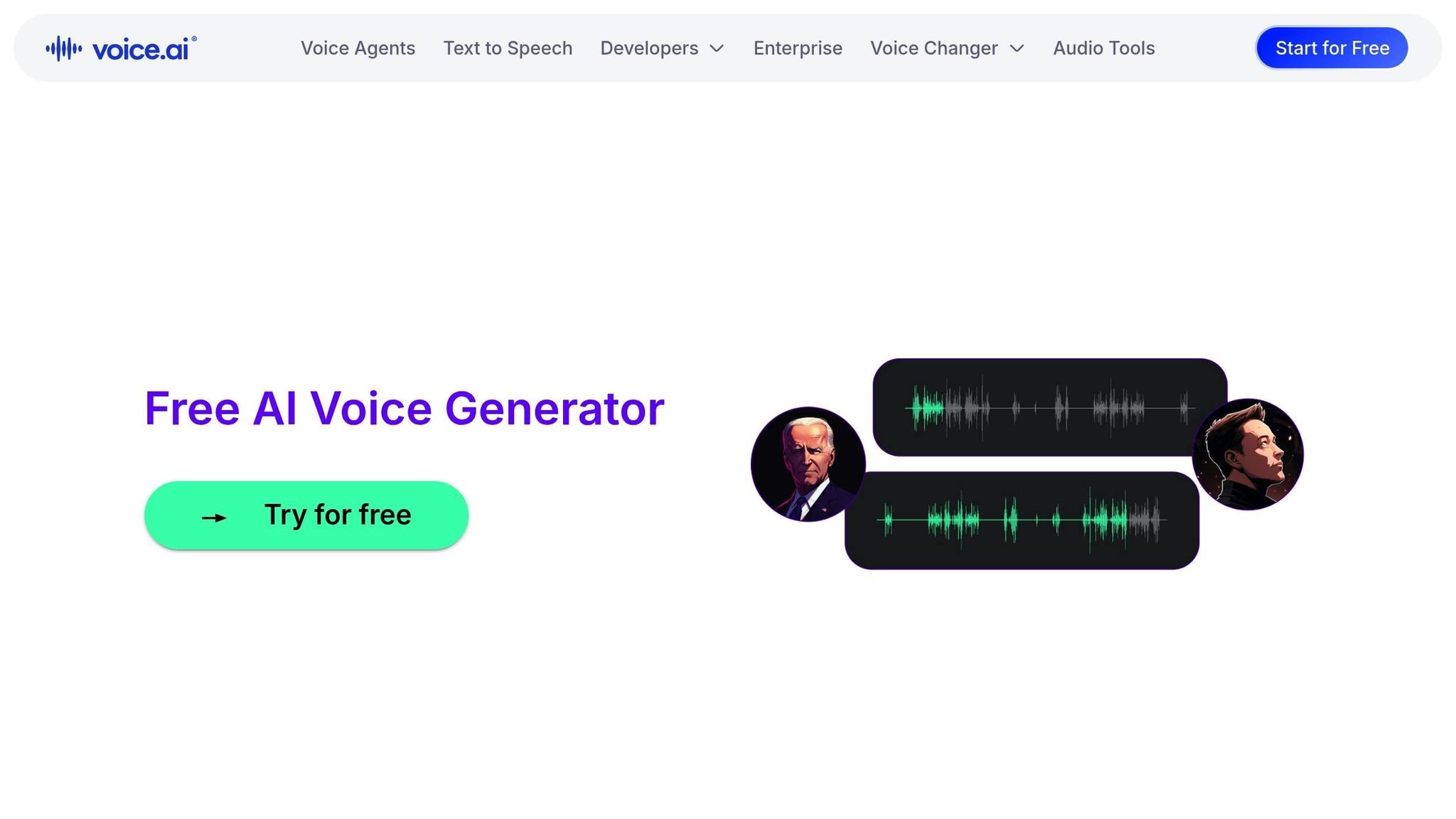
Voice AI uses lifelike voices that closely mimic natural speech, making it easier to maintain focus during extended study sessions. According to Voice.ai, "These voices don't just sound human; they feel human", helping reduce mental fatigue for learners with ADHD or dyslexia. The tool also allows students to create professional-quality voiceovers for class projects, which can help ease presentation anxiety. Its user-friendly design ensures you can start converting study materials into audio right away.
Language and Voice Variety
With a library of multilingual voices, Voice AI accommodates a wide range of listening preferences. This feature is especially useful for ESL learners and students with learning challenges, making it easier to adapt to different types of study materials.
Accessibility for Studying
Voice AI excels in making study materials more accessible. It can transform PDFs, textbooks, essays, notes, blog posts, and web pages into natural-sounding audio. Its mobile compatibility allows for learning on the go - whether during commutes or while multitasking. By offering a screen-free alternative, it also helps reduce eye strain during long study sessions. Plus, listening to your own notes or essays can help you catch mistakes and improve comprehension through both hearing and reading.
Pricing and Availability
Voice AI provides a free trial, giving users a chance to explore its lifelike narration and multilingual capabilities.
6. Immersive Reader
ADHD-Friendly Features
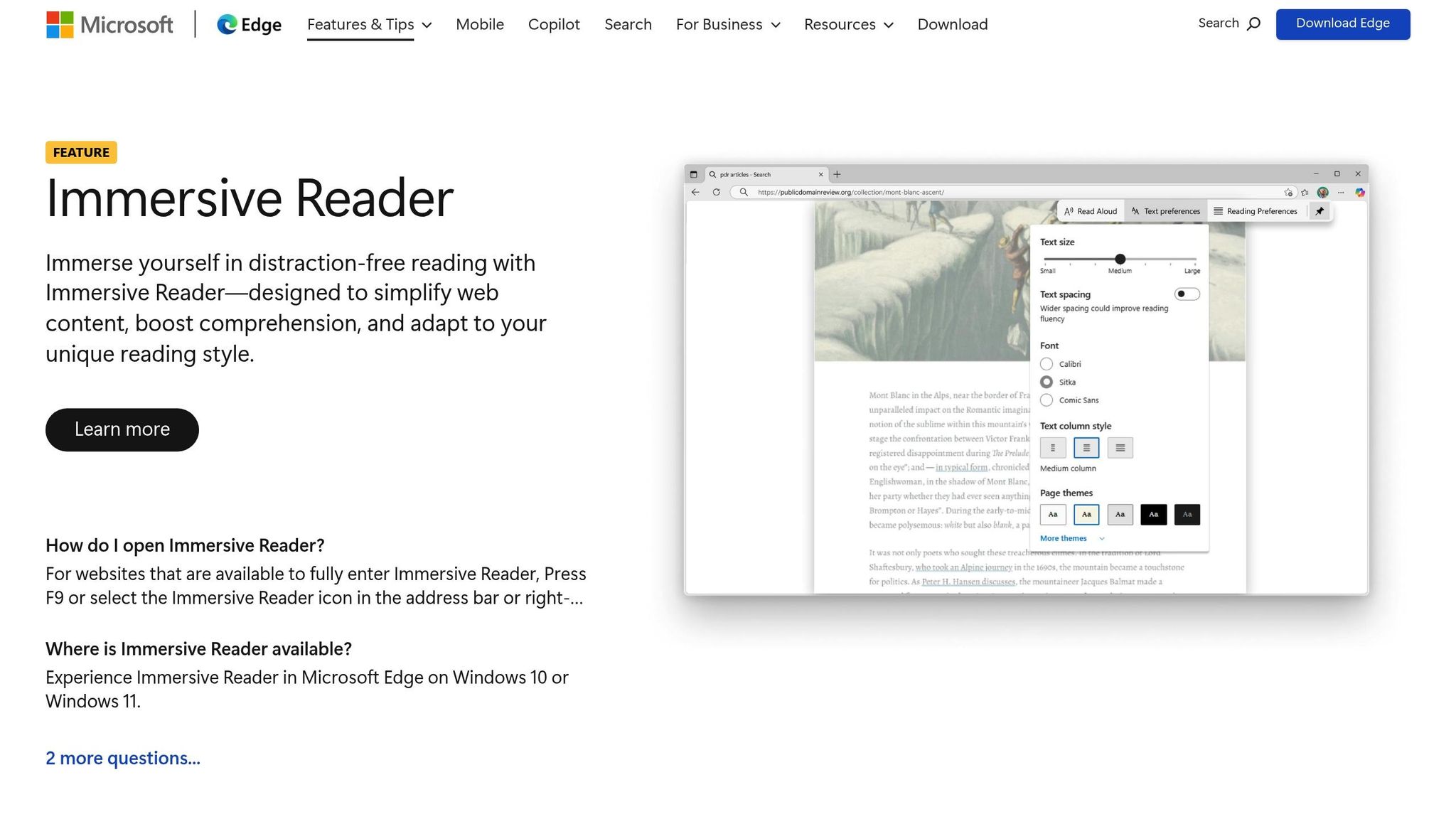
Immersive Reader is a powerful tool designed to simplify digital content, making it easier for students with ADHD to stay focused. By removing distractions like ads, pop-ups, and navigation buttons, it ensures that attention is directed solely to the essential text. One standout feature is Line Focus, which narrows the view to one, three, or five lines at a time, while real-time word highlighting engages both visual and auditory processing. This combination helps reduce visual clutter and enhances concentration.
Customization is another key strength. Users can adjust text size, spacing, and themes, including options like Irlen Spectral Filters, which are helpful for those with sensory sensitivities. Additional tools, such as the Picture Dictionary and grammar aids, break words into syllables or color-code parts of speech, further supporting comprehension. These features work together to create a focused and personalized learning experience.
Language and Voice Variety
Immersive Reader supports translation into over 70 languages, making it a versatile tool for multilingual learners. Its text-to-speech feature offers natural-sounding voices in more than 40 languages, with adjustable speeds and gender options. This flexibility allows users to tailor the experience to their preferred learning style.
Accessibility for Studying
This tool is seamlessly integrated into various Microsoft platforms, including Edge, Word, OneNote, Outlook, Teams, and Minecraft Education. It works effortlessly with web pages, PDFs, and Word documents, ensuring accessibility across different formats. For mobile users, the Microsoft Edge app on iOS and Android provides the same functionality. To activate Immersive Reader mode, simply press F9 in Microsoft Edge or right-click on highlighted text.
Pricing and Availability
Immersive Reader is completely free when used within supported Microsoft applications or the Edge browser. According to Microsoft's Learn Educator Center, it is "a free tool... that implements proven techniques to improve reading and writing for people regardless of their age or ability". With over 15 million users, its impact is backed by research - such as a 2017 RTI International study that found a 10% improvement in reading comprehension among fourth-grade students.
7. Amazon Polly
Amazon Polly brings advanced customization to auditory learning, making it a standout tool for students with ADHD and other learning needs.
ADHD-Friendly Features
Amazon Polly provides natural-sounding voices designed to keep learners engaged during extended study sessions. Using SSML (Speech Synthesis Markup Language), users can tweak emphasis, intonation, pitch, speed, and volume to suit individual auditory preferences. These adjustments can help ADHD learners stay focused and improve comprehension.
A key feature is its Speech Marks metadata, which enables synchronized visual word highlighting - similar to karaoke-style tracking. This combination of visual and auditory cues makes it easier for students to follow along, reducing the likelihood of losing focus. Additionally, users can save speech output as MP3 or OGG files for offline use, offering a screen-free study option. Together, these features provide flexibility and support for diverse learning styles.
"Amazon Polly is an academic equalizer. It's specifically designed to help users with dyslexia, ADHD, and visual impairments keep pace with their peers." - SciJournal
Language and Voice Variety
Amazon Polly supports over 100 voices in more than 40 languages and language variants. Options include English (US, UK, India, Australia), Spanish, French, German, Hindi, and Cantonese. It offers four voice engines:
- Generative: Engages listeners with a conversational tone.
- Long-Form: Tailored for lengthy content.
- Neural: Produces high-quality, natural-sounding voices.
- Standard: A reliable option for basic needs.
Neural voices even include a "Newscaster" style for a polished, professional sound.
Pricing and Availability
Amazon Polly operates on a pay-as-you-go model and includes a Free Tier for the first 12 months. During this period, users get 5 million characters per month for Standard voices and 1 million characters for Neural voices. New AWS customers as of July 15, 2025, also receive up to $200 in credits applicable to Amazon Polly.
After the Free Tier, pricing is as follows:
- Standard voices: $4.00 per 1 million characters
- Neural voices: $16.00 per 1 million characters
Generated speech can be cached and replayed at no additional cost. The service is accessible via the AWS Management Console, APIs, or mobile SDKs for iOS and Android, making it versatile and user-friendly.
8. Capti Voice
Capti Voice is designed to make auditory learning more efficient by eliminating distractions and promoting structured listening. Using AI, it removes ads and unnecessary clutter, leaving only the essential content for a focused study experience.
ADHD-Friendly Features
Capti Voice offers both hands-free and hands-on modes, catering to active learners. You can create playlists of study materials, breaking assignments into smaller, more manageable sections. A built-in dictionary allows you to look up unfamiliar terms without leaving the app, reducing interruptions that can disrupt focus. For added support, the platform features highlighting tools and the OpenDyslexic font, all presented in a simplified interface that helps maintain attention.
Playback speeds can be adjusted up to 500 words per minute, accommodating different attention spans. Additionally, customizable color themes and tinted backgrounds make extended study sessions more comfortable.
These features combine to create a user-friendly study environment, complemented by flexible file compatibility.
Accessibility for Studying
Capti Voice supports a wide range of file types, including PDF, Word (.docx), EPUB, DAISY, and PowerPoint. It integrates seamlessly with platforms like Bookshare, Dropbox, and Google Drive, making it easy to access academic materials. The service is available as a web app, a Google Chrome extension, and an iOS mobile app.
"Capti Voice is one of the best text-to-voice solutions that we've seen for those that want documents read back to them." - Mark Pickavance, TechRadar
Its compatibility and integrations make it a practical choice for students, further enhanced by flexible pricing options.
Pricing and Availability
Capti Voice offers a free personal plan with basic text-to-speech capabilities, one playlist, and a 10MB file limit. The Personal Premium Plan, priced at $1.99/month or $19.99/year, includes document editing, a 100MB file limit, and OCR for scanned documents. For higher-quality AI voices, the Premium Voice option is available at $5.99/month or $29.99/year. Schools can opt for institutional plans starting at around $300/year, which include LMS integration and tools for tracking student progress.
While the default "Salli" voice has been criticized for its quality, upgrading to Premium Voice or switching to system voices significantly improves the listening experience. However, the platform does not natively support MP3 exports, which might require additional steps for offline use.
9. Otter
Otter (Otter.ai) is a handy tool for ADHD learners, offering real-time speech-to-text transcription. While it doesn't provide text-to-speech functionality, it helps students by turning live lectures and meetings into detailed transcripts, making it easier to retain and review information. This method pairs well with auditory learning by converting spoken words into written text.
ADHD-Friendly Features
With Otter, students can skip the hassle of manual note-taking and focus entirely on listening. The platform records spoken content, ensuring nothing important is missed. The Otter AI Chat feature adds another layer of support by acting like a virtual tutor - students can ask questions about their lectures and get quick summaries. This feature simplifies complex information into smaller, digestible sections, reducing the stress of sifting through lengthy notes.
Accessibility for Studying
Otter's transcription tools are great for both live and recorded lectures. Students can revisit their transcripts anytime, search for specific points, and highlight essential details using Otter's web or mobile app. The ability to share transcripts with classmates also encourages teamwork and collaborative learning, making study sessions more interactive.
Pricing and Availability
Otter offers a free plan with basic transcription features, making it a budget-friendly option for students. For those who need more, paid plans unlock extras like longer transcription limits, advanced search tools, and enhanced collaboration features. This tiered pricing ensures flexibility for different needs and budgets.
10. Panopreter Basic
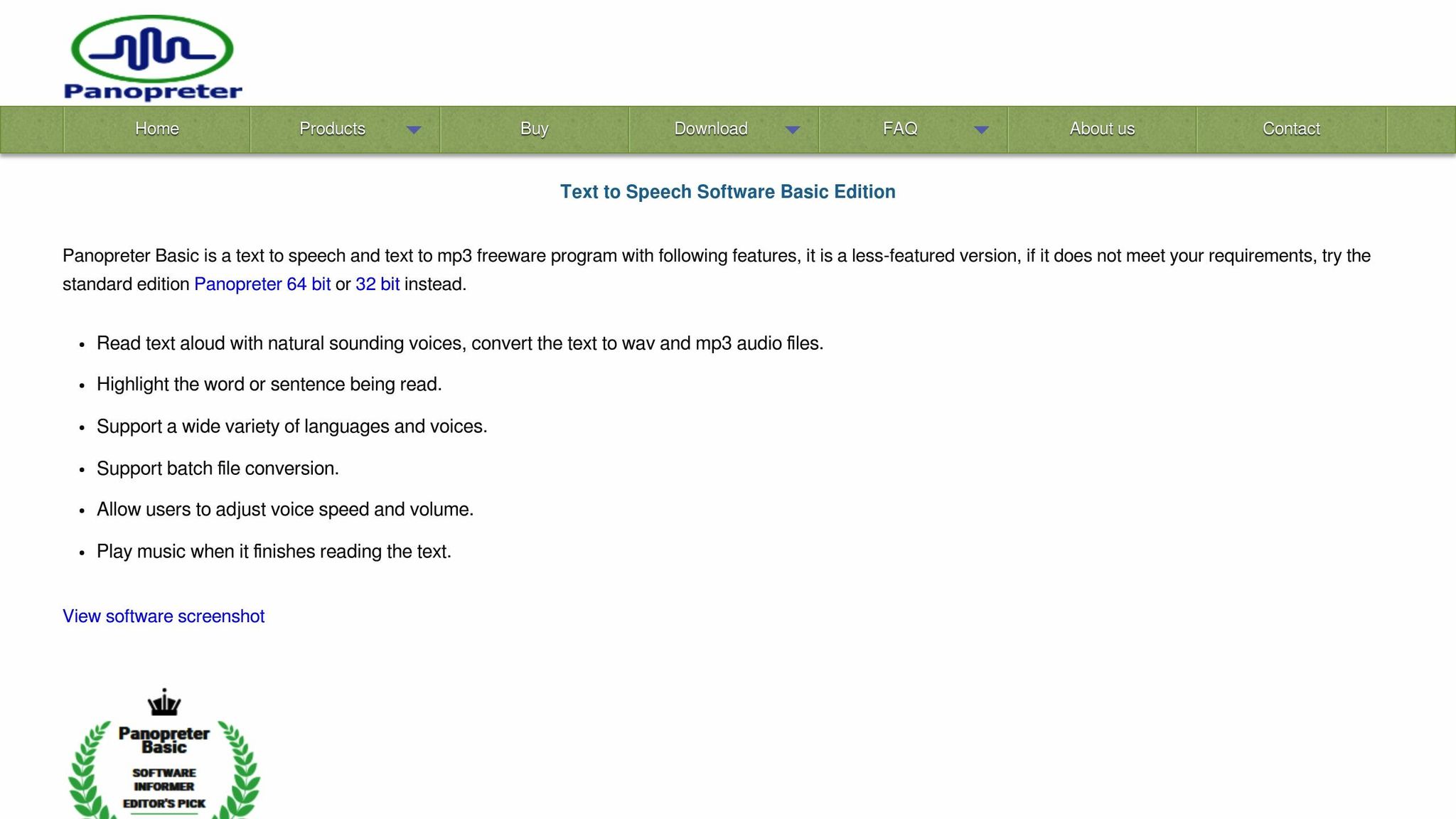
Panopreter Basic is an offline text-to-speech tool for Windows users, designed to support auditory learning without distractions. Unlike many online tools, it operates entirely offline, keeping your study materials private and secure. Plus, it's completely free and ad-free, making it a great choice for focused study sessions. It's compatible with Windows 7, 8, 10, and 11, and runs as a standalone application.
ADHD-Friendly Features
One standout feature is word highlighting, which visually tracks each word as it's read aloud. This combination of visual and auditory input can help improve focus and comprehension. You can also tweak the speech speed and volume to suit your learning style. For added convenience, keyboard shortcuts allow you to control playback seamlessly. Additionally, Panopreter Basic can convert text into MP3 or WAV files, so you can create custom study playlists to review on the go.
Language and Voice Options
The software uses Microsoft's built-in text-to-speech voices, which cover a variety of languages such as English, German, French, Spanish, Italian, Dutch, Norwegian, Portuguese, Swedish, and Japanese. If you install additional Windows language packs, Panopreter Basic will automatically detect and use them, expanding its language capabilities.
Flexible and Accessible Studying
Panopreter Basic can read text from .docx and .pdf files, though you'll need to paste the text into the app manually with the Basic version. It also includes a feature to read text displayed in other software windows, offering flexibility in how you access your materials. Its offline functionality ensures uninterrupted use, whether you're studying at home or elsewhere.
Pricing and Availability
This tool is completely free with no hidden costs or subscriptions. For those who need extra features like batch file conversion, browser extensions for Chrome and Firefox, or a Microsoft Word add-in, a paid Pro version is available.
Feature and Price Comparison
Finding the right text-to-speech tool depends on your budget and the features you need to stay focused. Below is a table summarizing pricing, free plans, and ADHD-friendly features. For a deeper dive into each tool, check the detailed sections above.
| Tool | Free Plan | Pricing | ADHD Features |
|---|---|---|---|
| TTSBuddy | Yes (Full) | Free | Reads webpages, 300+ voices, 30+ language modes, offline downloads, Markdown support |
| Speechify | Yes (Basic) | $139/year Premium | 4.5x speed, real-time text highlighting, AI summaries/quizzes, OCR scanning |
| Voice Dream Reader | No | $49.99/year | 200+ voices, offline mode, pronunciation editor, "Pac-Man Mode" for focus |
| NaturalReader | Yes | $99.50/year Plus | Dyslexia-friendly font, word-by-word highlighting, skips headers/footers |
| Voice AI | Yes | Varies | Expressive voices to reduce fatigue, simple interface |
| Immersive Reader | Yes (Full) | Free | Built into Microsoft Edge, strips ads for distraction-free reading |
| Amazon Polly | Yes (12 months) | Pay-as-you-go (~$4/1M characters) | Custom pitch, speed, and emphasis for personalized listening |
| Capti Voice | No | $300/year | Removes ads, creates playlists, diagnostic tools for educators |
| Panopreter Basic | Yes (Full) | Free | MP3/WAV export, adjustable speed/volume, offline Windows app |
If you're on a tight budget, tools like TTSBuddy, Immersive Reader, and Panopreter Basic provide full functionality at no cost - perfect for students. On the other hand, if advanced features like 4.5x speed control or AI-generated study quizzes sound appealing, Speechify Premium offers those perks along with a 25% student discount.
Tools with features like dual coding - combining visual text highlighting with audio - can enhance memory retention, while distraction-free designs help keep your focus on what matters most. Use this table as a quick guide before exploring the tools in more detail.
Conclusion
Text-to-speech tools can make a big difference for ADHD learners by shifting the focus from visual tracking to auditory processing. This helps reduce mental fatigue, makes starting assignments less daunting, and even allows for movement during study sessions - a win for those who focus better while active. Features like synchronized text highlighting and audio narration create a dual-coding effect, which can boost comprehension and make studying more efficient.
Choosing the right tool comes down to your specific needs. If starting tasks feels like climbing a mountain, look for tools that make it as easy as pressing play. For visual fatigue, pick options that let you listen while moving around. And if staying engaged is your challenge, tools with adjustable playback speeds can help - many users find that faster speeds, like 2x or 3x, keep their brains focused and prevent zoning out.
"Living with ADHD often means fighting an invisible tug-of-war between intention and attention." - Cliff Weitzman, CEO/Founder of Speechify
These tools can pave the way for smoother, less distracting study sessions. Since many offer free versions or trials, you can test different voices, speeds, and features without spending a dime. The key is to start with a tool that addresses your biggest hurdle, whether that's improving reading fluency, staying focused, or finding motivation. With the right fit, studying can feel more natural and focused.
FAQs
Which text-to-speech features help ADHD the most?
Features that benefit individuals with ADHD include realistic, natural-sounding voices that help maintain attention, speed controls that allow users to set a pace that suits their needs, and accessibility features designed to minimize challenges and boost understanding. These tools work together to help ADHD learners stay focused and connected during their studies.
How do I turn PDFs or printed pages into audio?
To turn PDFs or printed pages into audio, you can use text-to-speech tools specifically built for this task. These tools allow you to upload your documents, which they transform into speech that sounds natural. Many of them even offer features like offline playback or the option to download the audio, making them perfect for studying or tackling multiple tasks at once. Just upload your file, and the tool takes care of the rest, giving you an easy way to listen instead of read.
Should I study at 1x, 1.5x, or faster playback speeds?
For better understanding and memory retention, it's usually a good idea to study at playback speeds of 1x or 1.5x. Going faster, like 2x or higher, can make it more challenging to grasp and remember the material effectively.