Text-to-Speech for AI Agents | MCP Guide

AI agents with speech capabilities can interact more naturally and provide better accessibility for users. Adding a text-to-speech (TTS) tool like TTSBuddy to an AI agent is straightforward, thanks to the Model Context Protocol (MCP). MCP simplifies integration by offering a standardized way for AI systems to connect with tools like TTS services.
Here’s what you need to know:
- Why Speech Matters: Speaking agents are helpful for users who prefer audio or face challenges with text, such as visual impairments or reading difficulties. Speech also enables hands-free interactions, making AI agents more practical in various scenarios.
- MCP Benefits: MCP acts as a universal connector, allowing AI agents to use TTS tools without complex custom integrations.
- TTSBuddy Features:
- 58+ neural voices in 14+ languages.
- Fast audio generation with "Flash voices" (5–10× faster).
- Integration options via CLI or REST API.
- Free tier supports full functionality with 120 minutes per month.
To build a speaking AI agent, you’ll need:
- A TTS server to process text-to-speech requests.
- An audio playback system for delivering the output.
- A profile system for consistent voice settings.
- Accessibility features like language detection and playback controls.
Key implementation steps include:
- Using TTSBuddy’s CLI or REST API to generate speech.
- Setting up sequential audio playback to avoid overlaps.
- Optimizing performance with cached responses and fast voice options.
TTSBuddy offers flexible plans, starting with a free tier and scaling up to unlimited usage for $49.99/month. By following this guide, you can equip your AI agent with robust voice capabilities, making interactions more engaging and accessible.
Vibe Coding With The Speech MCP Server
Planning Your AI Agent's Voice Architecture
Before diving into coding, it's essential to outline how the components of your speaking AI agent will work together. A well-thought-out architecture ensures reliable performance, while a poorly planned one can lead to frustrating, unreliable results.
Core Components of a Speaking AI Agent
A speaking AI agent typically includes four main layers:
- LLM client: This could be something like Claude Desktop or a custom command-line interface (CLI). It sends text to the MCP server and retrieves responses.
- MCP TTS server layer: This handles text-to-speech (TTS) processing, using tools such as
ttsbuddy_speakfor direct calls. - Audio playback layer: This manages sound output through native utilities like
afplayon macOS, PowerShell's MediaPlayer on Windows, orffplayon Linux [1][3]. - Profile and configuration system: This assigns specific voices, languages, and models to each client, ensuring the AI agent maintains a consistent personality [1].
Concurrency is a key consideration here. To avoid overlapping speech outputs, the TTS server enforces sequential audio playback, allowing only one request at a time. A system-wide mutex or file lock is a practical way to manage this.
These layers form the backbone of a responsive and reliable TTS system for your AI agent.
Accessibility and UX Considerations
For a polished voice experience, audio should be routed through system-native players. This ensures compatibility with OS volume controls and external devices like hearing loops or speakers, which many users rely on [2][3].
Language support is another critical factor. Many users in the United States, for example, are bilingual in English and Spanish. Automatic language detection allows the agent to switch voices seamlessly without requiring manual input. Additionally, offering controls for speech rate, pitch, and volume ensures the system can accommodate a wide range of hearing preferences [3][6]. Including a tool like tts_stop to halt playback instantly is also crucial, especially for long or irrelevant responses [1].
By focusing on these user experience details, the voice functionality becomes more inclusive and adaptable.
Mapping Agent Intents to TTS Tools
With the technical structure and accessibility measures in place, the next step is to align agent intents with the right TTS modes. Profiles can define when to use non-blocking audio cues for quick updates versus blocking, fully narrated responses for more detailed communication [7].
Profile-driven routing simplifies operations by allowing the LLM to pass text with minor adjustments, eliminating the need for per-call voice selection [1]. To improve efficiency, cache frequently used phrases like greetings or error messages. This reduces latency and minimizes API usage [8]. Start by focusing on the most common agent intents and gradually expand caching to cover recurring responses.
Implementing MCP-Compatible TTS with TTSBuddy
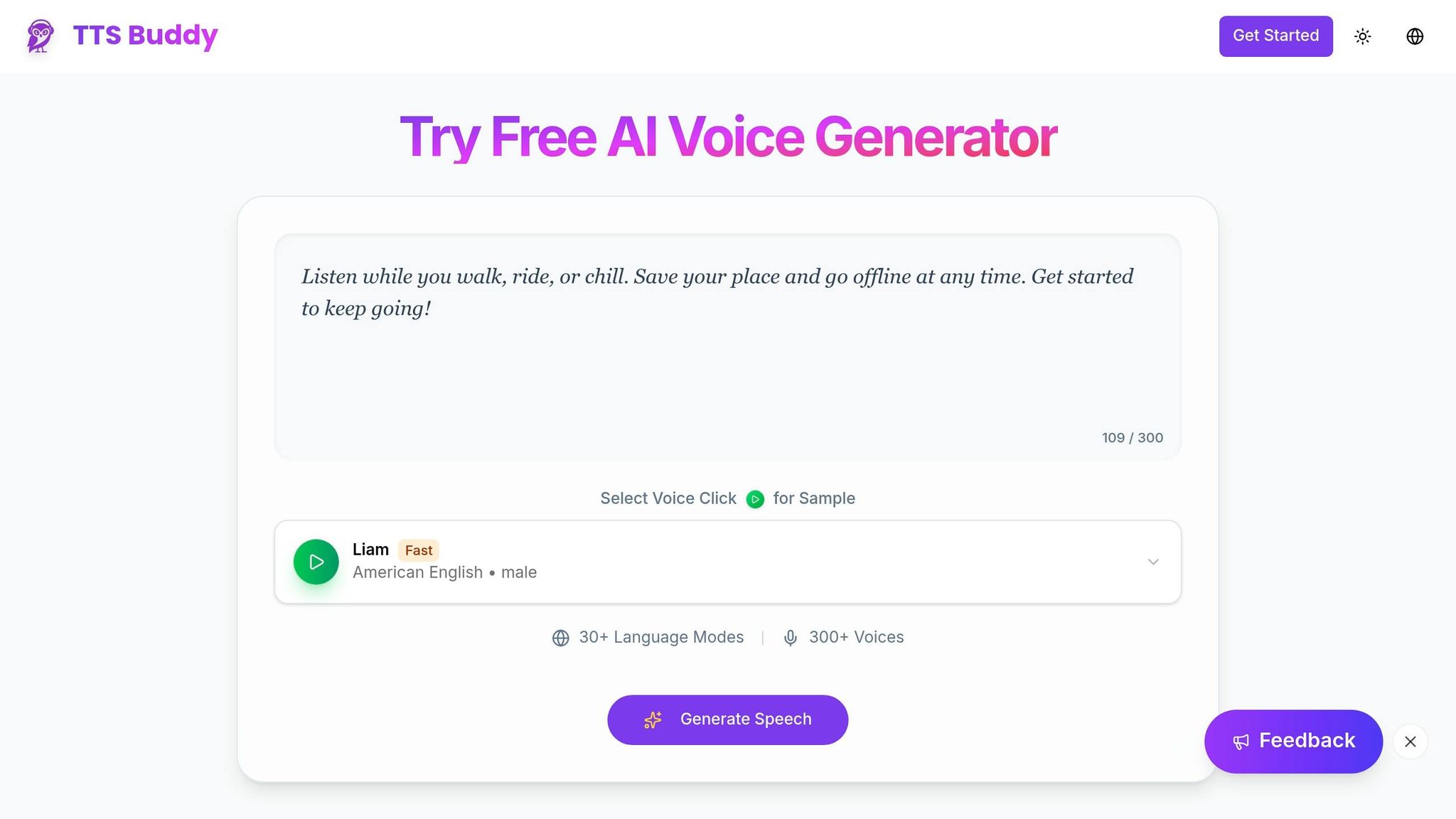
Building an MCP TTS Server
An MCP TTS server acts as the bridge between your AI agent and TTSBuddy's speech engine. It provides a single tool - ttsbuddy_speak - that your LLM client can call to generate audio output.
Here’s how it works: the server accepts four parameters - text (required), voice, speed, and language. To set it up, register the following JSON definition with your MCP-compatible client:
{
  "name": "ttsbuddy_speak",
  "description": "Convert text to speech audio using TTSBuddy",
  "parameters": {
    "type": "object",
    "properties": {
      "text": { "type": "string", "description": "Text to convert (max 500k chars)" },
      "voice": { "type": "string", "description": "Voice ID", "default": "st_m1" },
      "speed": { "type": "number", "description": "Playback speed 0.5-1.5", "default": 1.2 },
      "language": { "type": "string", "description": "Language code (en, fr, de, ja, ko, ar)", "default": "en" }
    },
    "required": ["text"]
  }
}
By making text the only required parameter, the tool remains simple to use while still offering flexibility for advanced configurations like voice selection, speed adjustments, and language settings. Now, let’s see how TTSBuddy's CLI can simplify speech synthesis.
Using the TTSBuddy CLI for Speech Synthesis
TTSBuddy’s CLI is a lightweight, Go-based tool that runs on macOS, Linux, and Windows. It’s perfect for agent workflows, offering two key output modes: JSON mode (for scripting and automation) and audio URL mode (for direct integration with playback systems).
The CLI supports three types of input:
- Inline text: Pass text directly as a command argument.
- Markdown files: Automatically cleans up headings, links, and code blocks before narration.
- Stdin: Pipe text from other commands for seamless automation.
For faster results, Flash voices like Marcus, Michael, Felicity, and Fiona can produce audio 5–10× quicker than standard voices. Output formats include MP3, WAV, FLAC, OGG, and OPUS, with playback speeds adjustable from 0.5× to 1.5× (default is 1.2×). Next, let’s explore how to scale these capabilities using TTSBuddy’s REST API.
Integrating the TTSBuddy REST API
To expand your agent’s voice features, connect to TTSBuddy’s REST API. Even the free tier provides access to the /v1/agent-tts endpoint. Authentication is handled via a Bearer token in the Authorization header, formatted as Bearer ttsb_<public_id>_<secret>.
Here’s how it works:
- Submit a job: Send a POST request to
https://www.ttsbuddy.com/v1/agent-ttswith a JSON body containingtext,voice,speed, andlanguage. - Short vs. long inputs: For short text (about 10 seconds of audio or less), you’ll get an
audio_urlimmediately with a200status. For longer text, the API returns ajob_idandstatus_urlwith a202 Processingresponse. Use thestatus_urlto poll the job status until it’s marked ascompleted.
Important details to keep in mind:
- Rate limits: The API allows 1 POST request per minute and 30 GET status checks per minute. Polling doesn’t count against your submission quota.
- Idempotency: Use the
Idempotency-Keyheader to avoid duplicate jobs. For example, hash the content, voice, and speed to generate a unique key. - Audio URL lifespan: URLs are temporary, so download or stream the file immediately after the job finishes.
- Error handling: Be prepared for errors like
RATE_LIMITED,USAGE_LIMIT_EXCEEDED, orTEXT_TOO_LONG. Include fallback mechanisms to ensure your agent continues functioning smoothly.
The API supports up to 500,000 characters per request, accommodating even the longest responses. You can also track your remaining usage through the monthly_minutes_remaining field in the API’s metadata.
Adding Voice Capabilities to AI Agents
Connecting TTS Tools to AI Agents
Once your MCP TTS server is set up - as explained earlier - MCP-compatible clients like Claude, Cursor, and Windsurf can automatically detect the ttsbuddy_speak tool. This allows the agent to generate spoken output without needing explicit instructions for every interaction. The agent determines when speech is appropriate based on context, such as completing tasks, reporting errors, or answering user queries.
TTSBuddy provides two integration options depending on your system. Local stdio is ideal for desktop clients, using an npm package to route tool calls through a local process. On the other hand, Remote HTTP connects server-side agents to a stateless /api/v1/mcp endpoint. This makes it easy to integrate voice capabilities into cloud-based workflows without managing local dependencies. For conversation-based agents, the API offers a speaker_type: "multi" mode, which generates dialogues between different voice IDs in one request. This is particularly useful for creating back-and-forth exchanges without needing multiple API calls. The next step is to think about how these voice outputs will be played across different platforms.
Handling Audio Playback Across Platforms
TTSBuddy produces MP3 files by default, and how you play these files depends on the environment where your agent operates. These playback methods align with the MCP TTS server setup. For desktop environments, native system commands are the simplest option: use afplay on macOS, mpv or ffplay on Linux, and PowerShell commands on Windows. These tools integrate seamlessly into shell-based workflows and don’t require extra libraries.
If you have multiple agents running at the same time, they might all attempt to speak simultaneously. To prevent overlapping audio, ensure sequential playback. This is especially important for setups with multiple agents or when a single agent handles several tasks at once.
Reducing Latency and Handling Repeated Prompts
To ensure responsiveness, reducing latency is key. Selecting fast voices can significantly improve performance. TTSBuddy's Supertonic Fast voices (st_f1–st_f5, st_m1–st_m5) generate audio 5–10 times faster than standard voices [4][9]. For even faster results, set delivery_mode to "stream". This streams audio in chunks as it’s generated, rather than waiting for the entire file to finish [9].
For prompts that are used frequently, caching can save time. By creating a deterministic Idempotency-Key - based on a hash of the text, voice ID, and speed settings - TTSBuddy can instantly return cached results for identical requests [4][9]. Storing these audio files locally in a cache directory eliminates the need for repeated network requests, making playback even faster for commonly used responses.
Designing Natural and Accessible Voice Output
Choosing Voices and Languages
Picking the right voice is key to making your AI agent sound natural and inclusive. Start by defining the voice's characteristics. TTSBuddy offers a catalog of over 300 voices in 30+ languages, organized into four tiers: Premium (top-tier Kokoro voices), Standard, Fast (Supertonic voices optimized for speed), and Basic [10]. For U.S. audiences, you’ll find a variety of premium American English voices that suit different needs - ranging from warm and conversational tones to clear and authoritative ones perfect for professional or instructional content. Plus, your voice settings are saved across sessions for consistent output [10].
Adjusting Speech Characteristics
Speech speed plays a major role in accessibility. TTSBuddy offers five speed levels:
| Speed | Label |
|---|---|
| 0.5x | Very Slow |
| 0.8x | Slow |
| 1.0x | Normal |
| 1.2x | Fast |
| 1.5x | Very Fast |
Slower speeds (0.5x and 0.8x) are perfect when users need extra time to process information, while 1.0x works best for natural conversations. If the content is already familiar, 1.2x can help speed up reviews [10]. Beyond speed, consider how your AI formats text before sending it to the TTS engine. For example, spell out currency and dates - say "twenty dollars" instead of "$20" or "June second" instead of "6/2" - to avoid robotic-sounding readings. You can also use pronunciation overrides for technical terms or acronyms, like saying "A.P.I." instead of "api", to improve clarity [11].
While refining voice output is important, keeping your API interactions secure is just as critical.
Managing Privacy and API Key Security
TTSBuddy ensures API key security by using SHA-256 hashing, meaning the full key is never stored on their servers. Authentication is managed through the header Authorization: Bearer ttsb_<public_id>_<secret>. If a key is invalid, expired, or revoked, the system returns a 401 INVALID_KEY error, allowing your agent to handle authentication issues programmatically [4].
Audio URLs generated by the API are temporary, so it’s essential to download and store the files locally or in a private cloud immediately after synthesis. To prevent duplicate processing during retries and avoid double billing, use an Idempotency-Key header. This key is created by hashing the text, voice ID, and speed [4]. For added security, TTSBuddy’s CLI also supports running models locally, ensuring sensitive text stays off the network [5].
Conclusion: Getting Your AI Agent to Speak with TTSBuddy
Creating a speech-enabled AI agent boils down to a few essential choices: selecting the right connection method (local stdio or remote HTTP), picking voices that resonate with your audience, and ensuring a reliable async request-poll-retrieve workflow [4][9].
TTSBuddy simplifies these decisions. With its catalog of over 300 voices, WCAG 2.1 Level AA compliance, and the ability to handle up to 500,000 characters per request, it’s equipped to handle anything from quick replies to in-depth narrations [4][9]. For scenarios where speed is critical, the st_* Supertonic Fast voices generate audio 5–10x faster than standard options, making them ideal for real-time interactions [4].
A few practical tips to keep in mind: Download audio files immediately after they’re generated, as the URLs are temporary. Use the Idempotency-Key header with every POST request to avoid duplicate jobs during retries or troubleshoot common audio generation errors. For agents managing conversations, the speaker_type: "multi" setting allows you to assign unique voices to different speakers [4][9].
TTSBuddy’s free plan includes full API and CLI access with 120 minutes of TTS per month, offering enough capacity to prototype and test your agent thoroughly. For expanded usage, the Pro plan provides 1,200 minutes and unlimited downloads for $9.99/month, while the Ultimate plan, at $49.99/month, removes all limits and unlocks custom voice options.
This guide has covered the essentials for adding speech capabilities to your AI agent. With TTSBuddy's MCP-compatible tools, turning text into natural-sounding audio is a straightforward process.
FAQs
How do I choose between local stdio and remote HTTP for MCP?
Use stdio for local development or testing. It’s quick, safe, and eliminates the need for network communication. Plus, the host process can handle the server management seamlessly.
Opt for HTTP when working in enterprise environments, multi-user setups, or with remote clients. This option allows for centralized management, identity controls, and advanced security measures like RBAC. If you go with HTTP, make sure to include authentication and validate the Origin header to reduce potential security vulnerabilities.
What’s the best way to prevent overlapping speech in my agent?
To prevent overlapping speech, consider using tools equipped with centralized queuing or interruption commands. A centralized queue organizes messages in sequence, ensuring they don't play at the same time. Most tools have an interrupt parameter (often enabled by default) that halts ongoing audio before starting new playback. For even greater control, tools featuring barge-in detection can pause or stop playback when user speech is detected, creating a smoother interaction flow.
How should I handle temporary audio URLs and caching safely?
When you generate temporary audio files, make sure to download them right away - they don't stick around for long. If you need to play audio instantly, try using the generate_speech tool with the delivery_mode option set to stream. This method delivers the audio in chunks, allowing for immediate playback.
If the same content has already been generated in the past, the system might return cached results instead of creating new ones. These cache hits are predictable and provide the exact same API response, making them a quicker alternative to streaming.