Text-to-Speech for Any LLM via MCP

Yes - you can make almost any tool-calling LLM speak by exposing text-to-speech through an MCP tool schema. I’d keep the setup simple: define a strict JSON schema, map it to either the TTSBuddy CLI or /v1/agent-tts, clean Markdown before synthesis, and return one fixed JSON response shape every time.
Here’s the short version:
- I’d use
text,voice, andoutput_formatas the core tool inputs. - I’d keep optional controls limited to things like
speaking_rate,pitch,language, or Markdown stripping. - I’d choose between sync, async, streaming, or batch based on response length and playback timing.
- I’d store the
ttsb_API key in environment variables, not in code. - I’d return fixed fields like
job_id,status, andaudio_linkorfile_pathso the LLM always knows what happened. - I’d handle limits up front, including 500,000 characters per request, 1 submission per minute, and 30 status checks per minute.
A few parts matter more than the rest. Bad schemas lead to bad tool calls. Loose voice settings can cause invalid IDs. Long text can trigger timeouts. And if Markdown is left in place, screen readers and voice apps may read symbols out loud.
That’s why I’d treat this as a simple contract:
- The LLM writes the text
- MCP exposes the TTS tool
- The server maps inputs to CLI or API
- The client plays or saves the audio
If I wanted one setup that works across many MCP hosts, I’d keep the schema small, use enums for voice choices, apply idempotency keys for retries, and add a playback lock when more than one agent can speak at once.
| Part | What I’d do | Why it matters |
|---|---|---|
| Schema | Keep required fields strict | Cuts down invalid tool calls |
| Voice control | Use enums or server-side mapping | Stops made-up voice IDs |
| Text cleanup | Strip Markdown before TTS | Avoids spoken formatting noise |
| Execution mode | Pick sync, async, stream, or batch | Matches speed and job length |
| Output format | Return one fixed JSON structure | Makes host behavior easier to handle |
| Error handling | Use fixed error codes | Helps the LLM retry or adjust input |
| Security | Store API keys outside source files | Lowers secret exposure risk |
In other words, I’d build the TTS tool once, keep the input and output contract tight, and let any MCP-ready LLM use it without custom glue code each time.
Vibe Coding With The Speech MCP Server
How to Design an MCP Schema for a Reusable TTS Tool
With the tool wrapper in place, the next step is the input schema. The inputSchema is a JSON Schema object that defines the parameters the LLM can send. This is where most of the hard choices happen.
Required Fields: text, voice, and output_format
Start with text and voice. Only expose output_format if the caller needs to pick the audio container.
text holds the content you want spoken. voice or voice_id tells the system which speaker to use. For voice, use an enum with supported IDs such as alloy or en-US-Neural2-D, so the LLM selects from actual options instead of making a guess [1][5].
For output_format, mp3 is a safe default for most use cases. wav or opus can work too, depending on the workflow. It also helps to set a limit on text length, which can reduce oversized requests and timeout issues.
| Schema field | Purpose in TTS | Typical value | Required |
|---|---|---|---|
text | The content to be spoken | "Hello, how can I help?" | Yes |
voice | Identifier for the speaker | alloy, en-US-Neural2-D | Yes |
output_format | Audio file container | mp3, wav, ogg | Yes (or default) |
speaking_rate | Speed of narration | 1.0 (range 0.5–2.0) | No |
pitch | Tone/frequency adjustment | -2.0 to 2.0 | No |
language | Target language code | en-US, de-DE | No |
Optional Fields for Accessibility and Narration Quality
speaking_rate gives the LLM a way to slow narration for dense instructions or speed it up for short status messages. pitch changes tone, which can help separate one narration style from another.
For accessibility work, strip_markdown matters a lot. LLMs often return Markdown, and if you leave it in, the audio may read formatting symbols out loud [6][7]. That gets awkward fast. A category or message_type field can also help the server pick the right voice or priority level [6][3].
Schema Trade-offs That Affect Cross-LLM Reuse
After you settle on the fields, the next choice is how much control to give the model.
A profile-locked schema keeps voice, language, and output_format in server-side config. The model only sees text and maybe speaking_rate. That cuts down on bad voice IDs and keeps output consistent, but it also means the LLM can't swap personas or change tone on the fly [8].
A full parameter control schema exposes every field to the LLM. That gives the model more room to tailor the output, but it also makes invalid tool calls more likely.
The sync-versus-async choice has the same kind of trade-off. Synchronous execution is easier to build, but long documents can hit timeout limits. Async submission returns a job_id right away, though it also means you need status or cancel tools.
| Schema choice | Advantage | Disadvantage |
|---|---|---|
| Profile-Locked | High reliability; LLM only controls text/speaking_rate | LLM can't change voices dynamically |
| Full Parameter Control | LLM can adapt tone and speed to context | Higher risk of invalid calls or invalid voice IDs |
| Synchronous Result | Simple implementation; audio is ready immediately | Can cause timeouts for long documents |
| Async/Streaming | Low latency; agent continues while audio plays | Requires stop/poll tools for state management |
| Auto-Markdown Strip | Cleaner audio; no spoken formatting syntax | May remove intentional emphasis if not handled carefully |
For most reusable setups, a category-driven mapping works well. Expose a category enum with values like summary, error, and status, then let the server map each one to the right voice and settings [6]. That keeps the LLM side simple and steady, while the backend handles the extra logic.
Once the schema is stable, map each field to the TTSBuddy CLI and /v1/agent-tts request shape.
How to Connect the Schema to TTSBuddy CLI and REST API
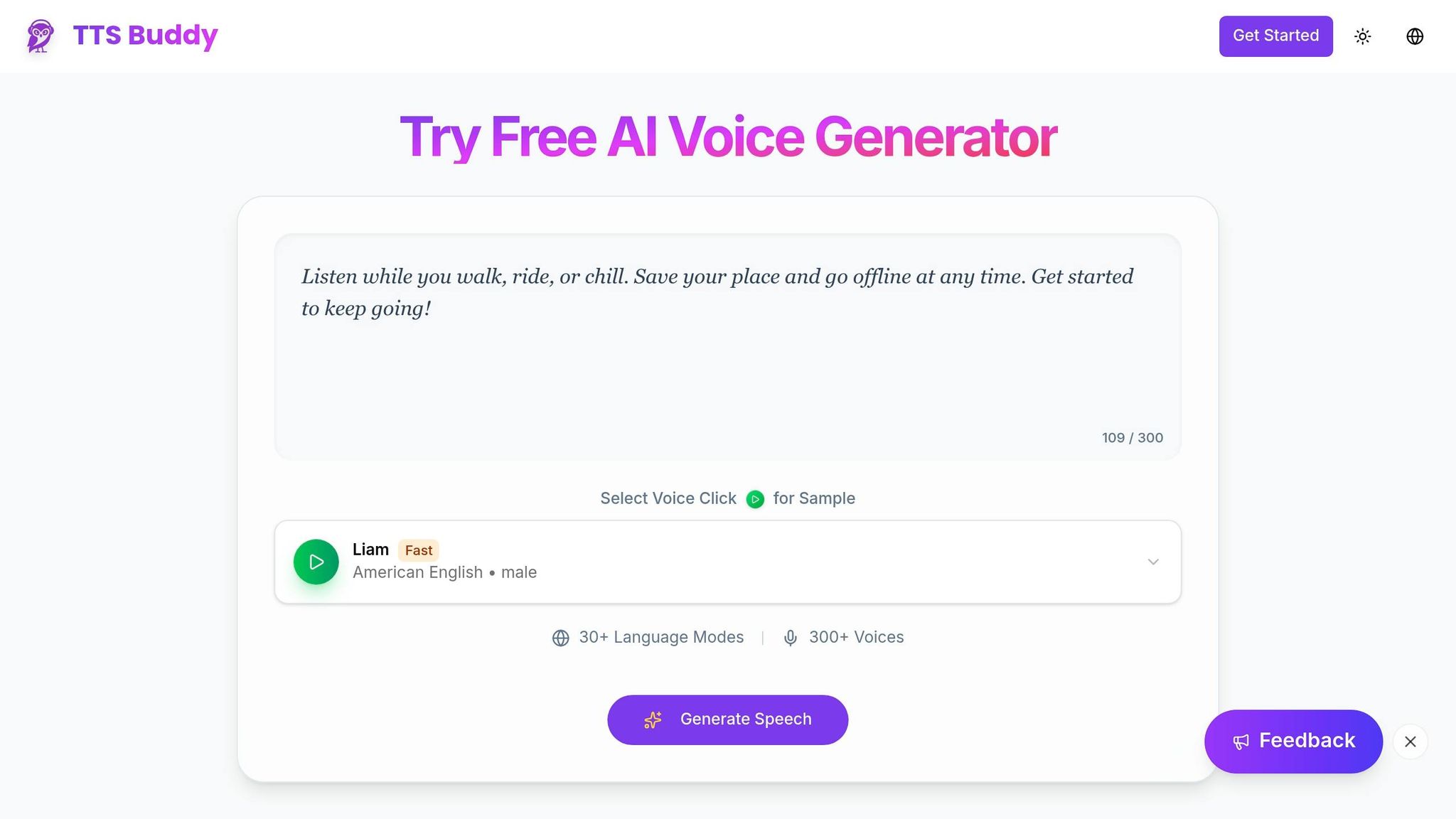
Once the schema is set, the MCP server has a pretty simple job: take a tool call, translate it for TTSBuddy, and send the result back.
Map MCP Parameters to TTSBuddy CLI Commands
The field mapping is direct. text maps to --text, voice maps to --voice, output_format maps to --format, and speaking_rate maps to --speaking-rate [8].
TTSBuddy can also read piped stdin, which makes scripted workflows much easier. If you want the server to parse the response cleanly and pass it to the LLM client, turn on structured output with --json [8]. For local playback, return an absolute file path.
The key idea is simple: keep the same field names across both paths. That way, one MCP schema can power local CLI execution and hosted API requests without extra translation logic.
Map the Same Schema to /v1/agent-tts Requests
The REST path works the same way. The MCP server takes the tool arguments, turns them into a JSON body for POST /v1/agent-tts, and sends authentication with a ttsb_-prefixed API key in the Authorization: Bearer header [4].
| MCP Schema Field | REST API Field | Notes |
|---|---|---|
text | text | Up to 500,000 characters per request |
voice | voice_id | Must match a supported voice identifier |
output_format | output_format | mp3, wav, or ogg |
speaking_rate | speaking_rate | Numerical tempo value |
For short replies, use streaming. It returns a single-use stream_url for immediate playback [4]. For longer documents or batch jobs, async submission is the better fit. It returns a job_id right away, so the agent can move on while the audio is made in the background [4].
The API allows up to 500,000 characters per request. It also limits usage to 1 submission per minute and 30 status checks per minute, so polling needs to stay conservative [4].
If the same text and voice_id have already been generated, the API may return a cached audio_link instead of making the file again [4]. In plain English, the same input contract should lead to the same audio behavior no matter which transport you use.
Store Defaults and Secrets Safely
Never hardcode a ttsb_ API key in source files. Put secrets in the MCP server's environment or config, not in the codebase [4][2][7]. TTSBuddy hashes API keys with SHA-256 on the server side, so the full key is not stored there.
For defaults like voice, language, and output_format, use a profile config file instead of sending them with every request [8][9]. The MCP server can load those defaults at startup, then let per-call overrides take priority when someone wants a different voice or file type.
If more than one agent can trigger speech at the same time, add a system-wide file lock or mutex so audio playback doesn't collide [2].
How to Build End-to-End LLM-to-Audio Workflows
Once your schema is mapped and your secrets are in place, the flow is pretty simple: the LLM writes the text, calls the MCP tool, and the client either plays the audio or saves it. The big variables are text cleanup and how you run the job. The same setup works for chatbot replies, summaries, and narrated status updates.
Turn Plain LLM Replies into Spoken Output
The most direct setup is a pass-through flow. The assistant writes a reply, the MCP server calls generate_speech with that reply as the text argument, and TTSBuddy returns either a file path or a shared audio link based on the output target you set.
For terminal-based flows, the CLI writes the file and prints the path. For web or app clients, a shared link is often the better fit. The client can play the URL directly, which makes it handy for screen-reader-friendly narration and hands-free use.
One small but important detail: suppress the Speaking: [text] console message so it never reenters model context.
Handle Markdown, Transcripts, and Long Documents
Before you send text to speech, clean it up. LLM output often comes wrapped in Markdown, and that formatting should be stripped before synthesis. TTSBuddy's CLI already handles Markdown files by removing headings, links, images, and code blocks before synthesis [6]. Use that same cleanup step before sending text to /v1/agent-tts.
Long inputs need another pass. If you're working with a large document or a long chat thread, summarize it first before sending it to TTS. Otherwise, the output can get bloated fast.
Choose Between Sync, Async, or Batch Execution
After the text is ready, pick the execution mode that fits the user experience you want. In plain terms, choose based on latency and narration length.
| Workflow type | Latency | Complexity | Best for |
|---|---|---|---|
| Sync (Blocking) | High | Low | Critical confirmations, step-by-step instructions |
| Async (Non-blocking) | Low | Medium | Real-time status updates and background narration |
| Streaming | Lowest | High | Long-form content where immediate start is vital |
| Batch | Very High | High | Bulk content creation, offline playlists, and cost-optimization pipelines |
If more than one agent or view can trigger speech at the same time, add a mutex or shared lock so only one audio stream plays at once [2][5]. That one guardrail can save you from overlapping playback and a pretty messy user experience.
How to Validate Results, Handle Errors, and Lock In the Pattern
After you pick sync, async, or batch, the next job is simple: make the output contract rigid and make retry behavior predictable.
Return Predictable Outputs and Errors
Every generate_speech call should return the same JSON shape, no matter which host handles it. At a minimum, include:
job_idstatus(pending,completed, orfailed)- either
audio_linkorfile_path
For async jobs, return job_id and status right away. Then, once the job finishes, return audio_link or file_path.
Errors should also be structured. More importantly, they should use fixed error codes so the LLM can decide what to do next: retry, change inputs, or show a clear message to the user [9]. Use this fixed set:
| Error Code | Meaning | Recommended LLM Action |
|---|---|---|
VALIDATION_ERROR | Malformed input or missing fields | Check schema and resubmit |
INVALID_VOICE | Voice ID not found or unavailable | Call search_voices to find a valid ID |
INSUFFICIENT_CREDITS | Account balance too low | Notify user to top up credits |
STREAM_NOT_SUPPORTED | Voice family lacks streaming capability | Switch to async delivery mode |
RATE_LIMIT_EXCEEDED | Too many requests in a short window | Implement exponential backoff retry |
SYNTHESIS_FAILED | Internal provider error | Retry only when retryable is true. |
Set isError: true on validation failures so the LLM can correct the parameters and try again [9]. Use idempotency keys on every generate_speech call so you don’t end up with duplicate files or duplicate charges [4]. And use tts_{timestamp}_{hash}.{ext} for filenames to avoid collisions when requests hit at the same time [2].
That way, every host reads the same success and failure signals. No guesswork. No weird edge-case parsing.
Key Takeaways for Production Use
Once the transport path is set, reliability becomes the last layer.
Use one strict schema, clean inputs, predictable outputs, and safe retries. Define your MCP tool schema once with the required fields: text, voice, and output_format. Then map that schema cleanly to either the TTSBuddy CLI or /v1/agent-tts. Strip Markdown before synthesis, pick async or stream based on your latency needs, and use idempotency keys so retries stay safe.
With that setup, any MCP-compatible LLM that can read a tool definition can trigger speech in a steady way for screen readers, hands-free flows, and voice-enabled apps.
FAQs
How do I choose between sync, async, and streaming TTS?
Choose based on how fast audio needs to start and whether other work should keep running at the same time.
- Streaming: best when you want audio to start right away. It plays in chunks as it’s being generated.
- Async: best when audio can run in the background. It returns a job ID so you can fetch the result later.
- Sync: best when you want clear, one-at-a-time playback. It helps prevent overlapping audio that can get confusing.
What should I do if the LLM sends invalid voice settings?
Use diagnostic tools to check your setup. Run tts_doctor to verify authentication, profile settings, and playback status. You can also call get_current_config to see your active voice, device, and other TTS settings.
Make sure voice IDs, speed, and format values match the provider’s requirements. Some profiles lock those fields or allow only certain ranges. If the problem sticks around, check your environment variables and your system output device settings.
How can I keep long or Markdown-heavy replies from sounding awkward?
Skip all-caps. Some systems read each letter one by one, which sounds awkward.
For smoother playback, use tools that support SSML so you can add pauses and guide the rhythm a bit better. Streaming modes also help when you want audio to start right away and play back in chunks instead of making people wait for the whole file.
You can also turn off echo output or use sequential queuing so audio clips don’t talk over each other. And if the text is more complex, pick tools that deal well with formatting or support multi-voice synthesis.