Best Text-to-Speech Tools with Custom Voice Options

Text-to-speech (TTS) tools have transformed how we interact with content, offering lifelike voices and customization options that cater to diverse needs. Whether you’re looking for accessibility solutions, productivity boosts, or creative tools for content creation, modern TTS platforms deliver impressive results. Here’s what you need to know:
- Natural Voice Quality: Top TTS tools like ElevenLabs now achieve Mean Opinion Scores (MOS) of 4.5, making them nearly indistinguishable from human speech.
- Customization: Adjust pitch, speed, tone, and even clone voices with just seconds of audio. Perfect for creators, professionals, and learners.
- Language Variety: Leading platforms support over 140 languages and accents, ensuring accurate pronunciation and regional nuance.
- Accessibility Features: Free plans like TTSBuddy’s offer essential tools for individuals with visual impairments, including audio downloads, voice chat, and document conversion.
- Productivity Enhancements: Listen on the go, proofread faster, and reduce screen fatigue with offline audio and playback speed controls.
If you need a TTS tool, look for options that balance high-quality voices, easy-to-use features, and support for personal or professional projects. Below is a quick comparison of key features across popular tools.
7 Best Text to Speech AI Voice Generators in 2024 (#1 is SCARY good)
Quick Comparison
| Feature | ElevenLabs | Google Cloud TTS | TTSBuddy |
|---|---|---|---|
| MOS (Voice Quality) | 4.5 | 4.0+ | 4.0+ |
| Languages Supported | 140+ | 75+ | 9 |
| Voice Customization | Yes (pitch, tone) | Yes (380 voices) | Limited |
| Free Plan | No | No | Yes (120 minutes) |
| Offline Access | No | No | Yes |
Choose a platform that meets your needs, whether it’s for accessibility, content creation, or productivity. TTSBuddy stands out for its free tier and accessibility focus, while ElevenLabs and Google Cloud TTS excel in advanced features and voice quality.
What to Look for in Text-to-Speech Tools
Finding the right text-to-speech (TTS) tool means balancing natural-sounding voices with features that cater to various needs.
Voice Customization and Cloning
Modern TTS tools allow you to adjust pitch, speed, emphasis, and emotional delivery, making it easier to create voices that fit specific purposes [7][8]. Whether you’re aiming for a calm, soothing tone for a meditation app or a lively, energetic voice for a marketing campaign, these customization options are invaluable. Voice cloning takes this a step further - it can generate a digital replica of a voice with as little as 10–30 seconds of clean audio [2][9]. This is a game-changer for content creators who need to maintain a consistent voice across multiple projects without having to record each one manually.
"Personally, for me, it is the best TTS out there... with the highest control in terms of style, emotions, and speed." – Kush A. [3]
In addition to voice customization, having access to a wide range of languages and accents can greatly expand the tool’s usability.
Language and Voice Variety
A diverse voice library is more important than you might think. Top-tier TTS platforms now offer 140+ languages and over 900 unique voices [2]. However, the real value lies in the availability of regional language variants, such as distinguishing between UK and US English or European and Latin American Spanish. These regional nuances ensure accurate pronunciation and phrasing [6]. Before diving into a multilingual project, it’s a good idea to test a sample (around 60 seconds) with native speakers to catch any awkward pacing or errors that automated systems might introduce [6].
Ease of Use and Accessibility Features
While advanced voice settings are great, the tool’s usability and accessibility features are just as important. Look for platforms that support SRT and VTT file exports for captions, as well as compatibility with screen readers and adherence to WCAG standards [8]. Integration is another key factor - whether you need API access for custom solutions or no-code options like Zapier and WordPress plugins, the tool should adapt to your workflow seamlessly [8][9]. For professional projects like audiobooks, prioritize tools that deliver 44.1kHz audio output to ensure high-quality sound [9].
"In a post-demo environment, ethics always outweigh speed. Even the best TTS tools do not belong in a final build unless every voice is consent-verified and rights-clean." – Respeecher [1]
Lastly, confirm that the subscription tier you choose includes commercial licensing and redistribution rights, especially if you’re working with cloned voices [6][8].
These features help users create accessible, efficient, and highly personalized audio content tailored to a variety of applications.
TTSBuddy: Built for People with Accessibility Needs
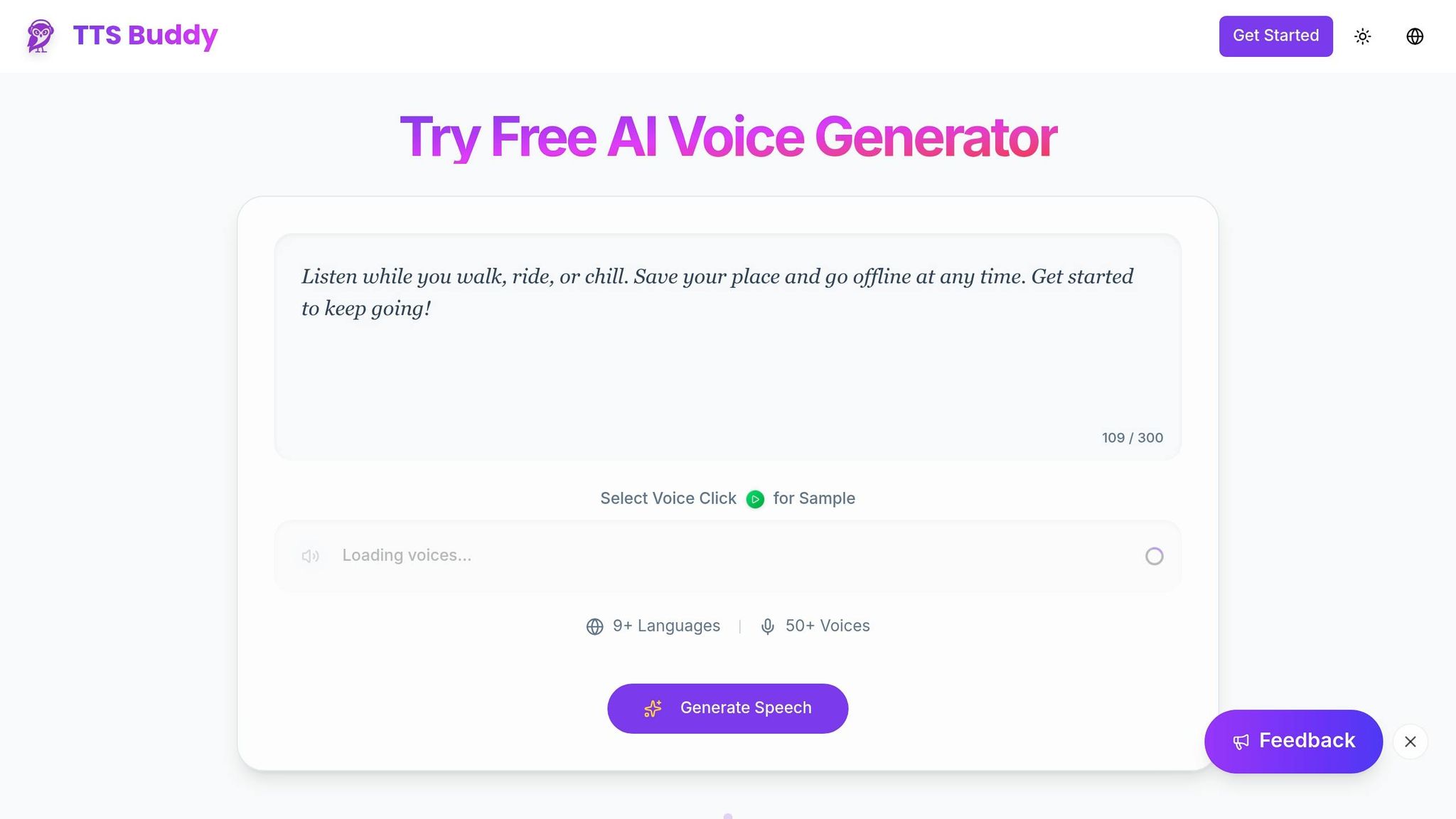
TTSBuddy stands out in the text-to-speech world by prioritizing accessibility and ensuring essential features are available without cost. This platform’s free tier is particularly helpful for individuals with visual impairments, dyslexia, or other reading challenges, offering 120 minutes of text-to-speech per month, 30 audio downloads, and 10 AI-generated summaries [10]. These tools make it easier for users to access audio content without worrying about subscription fees, setting the stage for a more inclusive experience.
Free AI-Powered Text-to-Speech
TTSBuddy’s free plan includes access to 50+ voices in over 9 languages [11], giving users plenty of options to find a voice that suits them. It also provides 30 minutes of speech-to-text capabilities and allows users to download audio files in MP3 format for offline listening [10]. For those tackling lengthy or dense content, the built-in AI summarization tool is a game-changer. It condenses long articles, research papers, or reports into digestible summaries, saving time and effort before diving into the full audio version.
Voice Chat and Document Conversion
TTSBuddy goes beyond standard text-to-speech with features like voice chat and document conversion, designed to enhance accessibility. The Web Buddy Chrome extension transforms website interactions by enabling voice-based conversations with web pages [11]. Instead of reading through extensive articles, users can ask questions and receive spoken answers. Additionally, the Doc Buddy feature turns static documents into audio, making it easier to navigate through them [11]. The free plan includes 10 minutes of web-based TTS and 30 Web Buddy requests per month [10].
Offline Audio Access and Flexibility
For users on the go or in areas with limited connectivity, TTSBuddy’s Offline Buddy feature is a lifesaver. It allows users to download audio files and listen to them on any device without needing an internet connection [11]. With 30 monthly downloads included [10], users can build a personal library of audio content for their commute, workouts, or household tasks. Plus, upgrades are securely processed through Stripe, ensuring peace of mind when handling payment details [10].
How People Use Custom Voice Options
Custom voice options in text-to-speech tools aren’t just about convenience - they solve real-world challenges. Whether it’s helping users access content without visual input, multitask more efficiently, or learn in ways that suit their style, these features adapt digital content to fit individual needs.
Accessibility for Visual Impairments
For individuals with visual impairments, custom voice options in text-to-speech tools make written content accessible by converting it into speech. With AI voices now achieving a MOS (Mean Opinion Score) of 4.5 - almost indistinguishable from human speech [2] - listening becomes more natural and less fatiguing compared to older, robotic-sounding systems.
Features like AI Smart Filters enhance this experience further by removing unnecessary elements like headers, footers, and citations, making the listening process smoother [13]. This is particularly helpful for seniors who may experience cognitive decline, as they often benefit from slower, clearer speech. On the other hand, some users prefer faster playback speeds to consume information more quickly and efficiently.
Better Productivity for Multitaskers
For busy professionals and students, text-to-speech tools are a game-changer. They allow users to absorb content while their hands and eyes are occupied - whether commuting, exercising, or handling household chores. Some apps even let users boost reading speeds up to 9x the normal rate [14], transforming lengthy documents into quick, digestible audio.
Another perk? Listening can highlight errors often missed during visual proofreading. Shifting from reading to listening also helps reduce eye strain and "computer vision syndrome", which are common after long hours staring at screens. Plus, the ability to download audio files for offline use ensures uninterrupted access to content, even in places with poor internet connectivity, like planes or subways. These features not only increase productivity but also enhance how people learn and process information.
Personalized Learning Experiences
Custom voice settings go beyond accessibility and productivity - they create tailored learning environments. For students with ADHD or reading difficulties, personalized voice adjustments make study sessions more engaging. AI voices can adapt their tone, intonation, and pacing to match the emotional cues in text, avoiding the flat, robotic delivery that can make learning tedious [12][2].
"Our mission is to build a chess coach that teaches at the right level, welcomes players of every skill level, and demystifies chess while keeping it fun and full of personality. With ElevenLabs and these amazing new voices, we've taken a big step toward making that vision a reality." - Gabriel Jacobs, Senior Product Manager, Chess.com [12]
Another standout feature is word-level control over emphasis and stress, which is especially useful for technical or complex subjects. Students can choose voices that feel authoritative for detailed tutorials or conversational for lighter topics, adapting the tone to fit their learning preferences. Tools like TTSBuddy make it easy to fine-tune these settings, ensuring that the experience feels seamless - whether they’re studying at home or listening on the go.
Choosing the Right Text-to-Speech Tool
When selecting a text-to-speech (TTS) tool, it’s important to consider how well it fits your specific needs. Look for tools that provide near-human voice quality with emotional depth, ideally with a Mean Opinion Score (MOS) of 4.0 or higher. For accessibility, features like Optical Character Recognition (OCR) and dyslexic-friendly fonts can make a big difference. Balancing realism with accessibility can boost productivity across various tasks. If you're aiming for everyday use, tools offering free tiers without hidden costs are especially appealing [5][8].
TTSBuddy stands out by offering 120 free minutes every month without requiring a credit card. Its features include Web Buddy for voice chat, converting documents into conversations, and offline audio downloads. It supports over nine languages and provides access to more than 50 voices [10].
To ensure a tool meets your expectations, test it with complex scripts that include technical jargon, emotional narratives, and dialogues. Check for detailed controls over pitch, speed, and word emphasis [2][4][1]. For multilingual projects, it’s essential to choose a platform that supports a wide range of languages and accents - some tools cover more than 140 languages [2][8].
"TTSBuddy is built for people with accessibility needs - and it's free." - TTS Buddy Documentation [10]
Ultimately, the best TTS tool is one that integrates offline capabilities, export options, and user-friendly controls into your workflow. Whether you're multitasking while proofreading, making content more accessible, or creating personalized learning materials, TTSBuddy’s commitment to accessibility and flexibility - without paywalls - makes it a strong contender for enhancing both productivity and inclusivity in your daily tasks.
FAQs
Is voice cloning legal, and do I need consent?
Voice cloning usually demands clear and documented consent from the individual. Many legal frameworks require this explicit permission before cloning or using someone's voice for training purposes. This safeguard is in place to protect individuals' voice rights and to reduce the risk of misuse. Always confirm you have the necessary authorization before moving forward.
How can I test if a voice sounds natural for my content?
To figure out if a voice sounds natural, pay attention to elements like prosody (the rhythm and intonation of speech), pacing, tone, and how well it conveys emotions. You can assess voice samples using tools such as the Mean Opinion Score (MOS), which measures perceived quality, or by doing side-by-side comparisons of different voices. Trying out multiple voice options within your specific context is a smart way to find the one that feels the most genuine and fits your content perfectly.
Can I use TTSBuddy offline and download MP3 audio?
TTSBuddy lets you download your speech as an MP3 file, making it simple to save and access your audio offline. This way, you can listen to it anytime, even when you're not connected to the internet.