AI Agent Voice Output with One API Call

Adding voice output to your AI agent is simpler than you might think. With TTSBuddy's /v1/agent-tts API, you can convert text responses into natural-sounding audio in just one call. Here's what you need to know:
- Why it matters: Voice output makes AI agents more accessible, especially for users with visual impairments or those who prefer hands-free interaction.
- Key features: Over 300 voices, 30+ languages, and options for real-time responses with fast voice models.
- How it works: Send a
POSTrequest with your text and get an audio URL in return. For longer texts, the API supports asynchronous polling. - Setup essentials: Secure your API key, configure your environment, and test with tools like curl or Postman.
- Customization: Adjust voice, speed, and language to suit your audience. Use built-in Markdown sanitization for clean, natural audio.
This guide covers everything from setup to optimizing voice output for accessibility and performance. Whether you're building a chatbot, virtual assistant, or voice-enabled app, this API simplifies the process.
Text to Speech API for AI Agents! (TaskAGI, N8N, Make & Zapier!)
Prerequisites and Setup
To create an inclusive voice output system, it's crucial to prepare your development environment for a smooth integration process.
Tools and Requirements
You'll need the following to get started:
- An AI agent that can make HTTP requests.
- A TTSBuddy account (the free plan works and doesn't require a credit card).
- Your API key from the TTSBuddy Dashboard.
You'll also need a basic understanding of working with HTTP APIs and a scripting environment like Python, Node.js, or curl.
The API key format looks like this: ttsb_<public_id>_<secret>. For every request, you must include this key as a Bearer token in the Authorization header. Since each account is limited to one active API key, make sure to store it securely.
Once you have these tools ready, you can securely configure your environment.
Setting Up Your Environment
It's critical to avoid embedding your API key directly in your code. Instead, save it as an environment variable. Here's how:
export TTSBUDDY_API_KEY=ttsb_your_key_here
In your code, reference the key like this:
- For Node.js:
process.env.TTSBUDDY_API_KEY - For Python:
os.environ["TTSBUDDY_API_KEY"]
This approach keeps your credentials out of version control and makes it easier to rotate keys when needed. Before integrating into your codebase, test your setup using tools like curl or Postman.
Once your API access is secure, the next step is understanding the API limits and voice configurations for US English.
API Limits, Voice Options, and US English Configurations
TTSBuddy's rate limits are simple:
- 1 POST request per minute for job submissions.
- 30 GET requests per minute for status polling.
Each request can handle up to 500,000 characters, which should cover most use cases for agent responses.
For US English, TTSBuddy provides a variety of voice options. Here's a quick overview:
| Voice ID | Gender | Type | Best For |
|---|---|---|---|
af_heart | Female | Standard (Default) | General-purpose responses |
am_michael | Male | Standard | Conversational agents |
st_f1–st_f5 | Female | Supertonic Fast | AI agents, real-time output |
st_m1–st_m5 | Male | Supertonic Fast | AI agents, real-time output |
For most agent integrations, Supertonic Fast voices (st_ IDs) are your best bet. They strike a great balance between speed and quality, which is essential for real-time responses. When configuring these voices, use the language code en to specify American English.
Integrating TTSBuddy's API for Voice Output
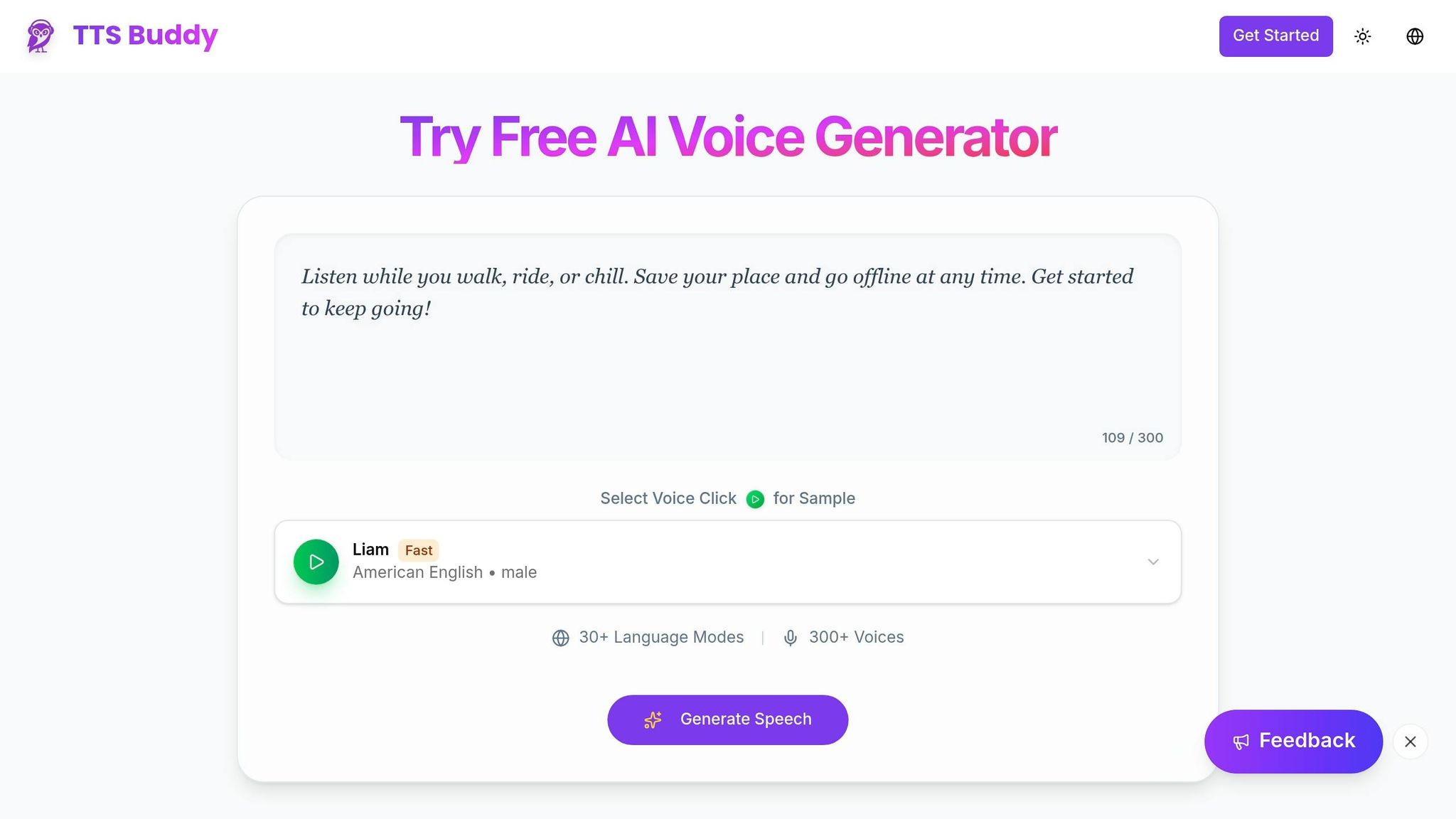
Let’s dive into how you can implement voice output with TTSBuddy’s API using a single API call.
How the API Pattern Works
The /v1/agent-tts endpoint makes integration straightforward. For short texts that generate audio in under 10 seconds, the API responds instantly with a 200 status and an audio_url. For longer texts, it returns a 202 status along with a job_id, which you can use for polling.
In simple terms, no matter the length of the text, you only need one submission call to get started. Next, let’s look at how to send text to this endpoint with a practical example.
Sending Text to the /v1/agent-tts Endpoint
To send text, make a POST request to https://www.ttsbuddy.com/v1/agent-tts. Include your API key in the Authorization header and a JSON body with the required text field. Optional parameters like voice, speed, and language allow you to tailor the output, such as adjusting the speaking speed or choosing a specific voice.
Here’s an example using curl:
curl -X POST https://www.ttsbuddy.com/v1/agent-tts \
  -H "Authorization: Bearer $TTSBUDDY_API_KEY" \
  -H "Content-Type: application/json" \
  -H "Idempotency-Key: unique-request-id-001" \
  -d '{
    "text": "Your account balance is $1,250.00. Your next payment is due on June 15, 2026.",
    "voice": "st_m1",
    "speed": 1.2,
    "language": "en"
  }'
Pro Tip: Always include an Idempotency-Key header to avoid creating duplicate jobs during retries. This ensures each job submission remains unique.
Here’s a breakdown of the available parameters:
| Parameter | Type | Required | Default | Constraints |
|---|---|---|---|---|
text | string | Yes | - | 1–500,000 characters |
voice | string | No | af_heart | Example IDs: st_m1, af_bella |
speed | number | No | 1.2 | Range: 0.5–1.5 |
language | string | No | en | ISO code (needed for st_* voices) |
One standout feature of TTSBuddy is its AI sanitization, which automatically removes Markdown formatting. This ensures that agent responses are converted into smooth, natural audio without requiring manual cleanup. It’s a game-changer for creating accessible voice outputs with our free AI voice generator.
Polling for Async Job Completion
For longer texts, if the API responds with a 202, you’ll need to monitor the job’s progress. Use the returned job_id to poll the /v1/agent-tts endpoint until the job status changes from processing to completed.
Here’s how you can poll using curl:
curl -X GET "https://www.ttsbuddy.com/v1/agent-tts?id=your-job-id-here" \
  -H "Authorization: Bearer $TTSBUDDY_API_KEY"
Here’s what the possible job statuses mean:
| Job Status | Description |
|---|---|
processing | Conversion is underway. Includes a retry_after_seconds field for polling. |
completed | Audio is ready. The response includes the audio_url. |
failed | Conversion failed. Error details are provided in the response. |
expired | The audio file was deleted. Resubmit the text to generate a new file. |
Once the status is completed, download the audio immediately, as the audio_url is temporary. If the job fails, generate a new Idempotency-Key for a fresh submission to avoid conflicts.
Optimizing Voice Output for Accessibility and Performance
After integrating the API, fine-tuning your TTS (Text-to-Speech) output can make a big difference in accessibility and performance. With the simplicity of the one-call API as a foundation, these tips help ensure your AI agent delivers voice output that's both quick and engaging.
Choosing the Right Voice for Your Users
TTSBuddy offers over 300 voices in more than 30 languages, grouped into four tiers: Fast (Supertonic), Premium, Standard, and Basic. For real-time responses, Fast tier voices are your best bet. These include IDs like st_f1–st_f5 for female voices and st_m1–st_m5 for male voices, designed specifically to reduce latency in conversational workflows [1][3].
For more extended interactions, voices like Madison or Sophia bring a conversational tone that works well for storytelling or customer engagement [3].
Adjusting the speed parameter can also improve accessibility. For example:
- A slower setting like
0.8xgives users with cognitive disabilities or those needing extra processing time a chance to follow along. - Faster settings, such as
1.2x, are better suited for users reviewing familiar material.
Here’s a quick guide on speed settings and their ideal use cases:
| Speed Setting | Label | Best For |
|---|---|---|
| 0.5x | Very Slow | Language learning, careful study |
| 0.8x | Slow | Accessibility needs, detailed comprehension |
| 1.0x | Normal | General-purpose content |
| 1.2x | Fast | Quick review, familiar material |
| 1.5x | Very Fast | Speed review, scanning content |
Writing Agent Responses That Sound Natural When Spoken
Once you've chosen the right voice, it’s crucial to adjust your text for natural speech. Text that looks fine on a screen can sound awkward when spoken aloud. For example:
- Expand abbreviations: Write "January 15th" instead of "Jan. 15."
- Avoid starting sentences with symbols or Markdown syntax.
- Structure sentences to end at natural pauses.
Although TTSBuddy’s AI sanitizer automatically removes formatting, providing clean input ensures smoother, more natural output. Keep sentences short and direct for better flow. For instance:
- "Your payment is due June 15th. The amount is $1,250.00." sounds more natural than "Your payment of $1,250.00 is due on June 15th, which is the next scheduled billing date."
When matching voices to content, consider the tier:
- Premium voices work well for storytelling or long-form narration.
- Standard voices are more suited for everyday notifications and general responses [3].
Using Flash Voices for Faster Audio Generation
TTSBuddy’s Fast (Supertonic) voices, also known as Flash voices, are built for speed. These voices generate audio 5 to 10 times faster than Standard or Premium options [1][3]. This makes them perfect for applications where users expect immediate responses, such as customer support bots or voice-enabled dashboards.
To use a Flash voice, set the voice parameter to an st_ prefixed ID (e.g., st_m1 or st_f3) and include "language": "en" since these voices require an explicit language code. While Flash voices may offer slightly less expressive range than Premium voices, they’re ideal for short, functional responses. For longer content, where natural intonation is more critical, consider using Premium voices instead [1][3].
Testing and Troubleshooting Your Voice Output Integration
Testing the API Integration
Once your API is integrated, it’s time to test its functionality and output. This step ensures everything is working as expected.
Start by using free-tier voices like Kokoro, Piper, or VITS to test your setup without dipping into your paid quota [2]. These free models mimic the behavior of paid tiers from an API perspective, making them perfect for testing the full integration.
For short text requests (producing under 10 seconds of audio), the API should return a 200 Completed status along with the audio URL. For longer text requests, you’ll likely see a 202 Processing response, which signals that your polling logic must handle the job asynchronously. Be sure to test both scenarios - short and long requests - to confirm your code manages immediate responses and asynchronous polling properly. Also, check the JSON audio object to ensure it reflects your settings for voice and speed. Key metadata like duration_seconds, processing_time_ms, and estimated_cost_cents should be verified for production monitoring [1].
If something doesn’t work as expected, refer to the troubleshooting steps outlined below.
Fixing Common Errors
Integration errors tend to fall into a few predictable categories. Here’s a table of common error codes, their causes, and how to address them:
| Error Code | HTTP Status | Common Cause | Recommended Action |
|---|---|---|---|
INVALID_KEY | 401 | Expired or revoked API key | Check your dashboard for a valid key [1] |
RATE_LIMITED | 429 | Exceeded requests per minute | Wait for the specified Retry-After period [1] |
USAGE_LIMIT_EXCEEDED | 403 | Monthly minutes exhausted | Upgrade your plan or wait for the reset [1] |
TEXT_TOO_LONG | 400 | Input exceeds 500,000 characters | Split text into smaller chunks [1] |
TTS_PROVIDER_ERROR | 502 | Upstream service failure | Retry with exponential backoff [1] |
IDEMPOTENCY_REUSE | 409 | Reusing an idempotency key with different data | Generate a fresh UUID for each unique request [1] |
If audio fails to play in the browser, check the autoplay policies of your browser. This issue is common with Chrome 90+, Firefox 90+, and Safari 15+.
Also, keep in mind that temporary audio_url values expire after 24 hours. To avoid issues, use the stable audio_endpoint, which will always redirect to a fresh signed URL [1].
Keeping the Integration Reliable in Production
Once your integration is working, focus on maintaining reliability in production.
For idempotency keys, use UUID v4 for single-use requests. For workflows involving fixed content, voice, and speed settings, hash these parameters together to create a consistent key. This avoids duplicate jobs or double charges during retries [1].
When dealing with errors like 502 TTS_PROVIDER_ERROR or 500 INTERNAL_ERROR, implement an exponential backoff strategy. Start with a 1-second wait, then double it to 2 seconds, then 4 seconds, and so on [1]. For job status polling, use the separate rate limit of 30 GET requests per minute. This allows you to poll every 1–2 seconds without hitting limits. Keep your submission rate at or below 1 POST per minute per API key to stay within allowed thresholds.
Conclusion and Key Takeaways
What TTSBuddy's One-Call API Offers
TTSBuddy simplifies voice output integration with a single API call to the /v1/agent-tts endpoint. This setup handles both short responses with inline audio and longer content through asynchronous polling. No need to juggle multiple services or deal with complicated infrastructure setups [1]. The API is designed for ease and reliability: idempotency ensures safe retries, Supertonic Fast voices provide quick responses, and Premium voices deliver lifelike intonation for extended listening experiences [1][3]. Plus, autonomous TTS calls remove the need for custom middleware, streamlining the entire process [1].
With these integration features in place, you can focus on enhancing and expanding your AI agent's functionality.
Next Steps for Developers
Once you've streamlined the integration process, it's time to push your project further. Start with TTSBuddy's Free plan, which gives you 120 minutes of TTS usage per month and full API access - no credit card required [4]. This is plenty of room to develop, test, and refine your integration before upgrading to a paid plan.
After mastering the basics, try different voice IDs to match your audience's preferences, track monthly_minutes_remaining via the billing object in API responses, and use TTSBuddy's llms-full.txt documentation endpoint. Feeding this directly into tools like Claude or Cursor can speed up development with context-aware support [1][5].
FAQs
How do I stream audio instead of using an audio URL?
To stream audio using TTSBuddy, simply run the CLI or tool without including the -o flag. This streams raw MP3 data directly to stdout, which you can then pipe into your playback pipeline for immediate audio output.
If you're using HTTP integration, submit the text for conversion and stream the response body directly. This approach skips the need to wait for the audio_url, which is only provided after non-streamed jobs are finished.
How should I chunk long responses so they sound natural?
To ensure audio sounds more natural, it's best to divide lengthy texts into sections of 30,000–50,000 characters. While the platform supports files up to 500,000 characters, working with smaller chunks speeds up processing and results in easier-to-handle audio files.
TTSBuddy’s AI sanitization plays a key role in improving the flow. It transforms Markdown tables, bullet points, and code into conversational formats, making the content easier to follow. Additionally, it adds brief pauses at headers, creating a smoother and more natural listening experience.
How can I cache or reuse audio to reduce minutes used?
To save time and resources, consider setting up a local caching system for audio files. When you make an initial request to TTSBuddy, the service provides a temporary audio URL that requires immediate downloading. Once downloaded, store these files on your cloud storage or local server. This way, you can reuse the saved files for repeated requests, cutting down on redundant API calls and reducing costs associated with generating the same audio multiple times.