How Conversational AI Helps ADHD Task Planning

Managing tasks with ADHD can feel overwhelming, but conversational AI offers a practical solution by acting as an external brain. It simplifies planning, prioritization, and task execution by breaking down complex goals into smaller steps, providing timely reminders, and reducing mental effort. Here's how it works:
- Voice-to-Text Input: Quickly capture fleeting ideas and tasks through voice, eliminating the need for manual typing.
- Breaking Down Tasks: AI transforms vague goals like "clean the house" into actionable steps, such as "wipe counters" or "load the dishwasher."
- Smart Reminders: Context-aware nudges adapt to your schedule and energy levels, ensuring tasks are completed without adding stress.
- Prioritization Assistance: AI helps decide what to focus on first, reducing decision fatigue and time blindness.
- Daily Progress Review: A quick summary of accomplishments and next steps keeps you on track without overwhelming you.
For those who prefer audio learning, tools like TTSBuddy convert task plans into natural-sounding audio, making it easier to stay organized on the go. This combination of conversational AI and text-to-speech tools creates a more ADHD-friendly approach to task management.
13 Ways ChatGPT Helped Me Organize My ADHD Life & Business
ADHD Task Planning Challenges
ADHD doesn’t just make planning tricky - it reshapes how the brain handles tasks entirely. Research shows that nearly 90% of children with ADHD face challenges with at least one aspect of executive functioning [7]. These difficulties don’t magically disappear with age; they often persist or even get worse in adulthood [4][7].
Understanding these challenges is the first step toward addressing them. This is where tools like conversational AI can step in as valuable external supports.
Difficulty Starting Tasks
For someone with ADHD, knowing what needs to be done and actually starting it can feel like two entirely separate worlds. This is often referred to as task paralysis, a kind of mental freeze that stops action in its tracks [6][9].
"ADHD is a disorder of 'doing what you know,' not one of knowledge." – Dr. Russell Barkley, Neuropsychologist [5]
The ADHD brain operates on what experts describe as an "interest-based nervous system" [5][6]. It thrives on novelty or urgency, which is why mundane tasks - like sorting paperwork or answering routine emails - don’t generate enough dopamine to spark action [6].
Over 70% of people with ADHD identify task initiation as their biggest hurdle [8]. This challenge is tied to reduced dopamine receptor availability in the brain’s reward and motivation pathways [8]. The result? What’s often called the "Wall of Awful" - a buildup of emotional resistance from past struggles and frustrations that makes starting tasks feel almost physically painful [6][9].
Problems with Prioritization
When everything feels equally important - or equally unimportant - deciding where to start can be overwhelming. ADHD brains often struggle to differentiate between tasks that are truly important and those that simply feel urgent. As a result, they might gravitate toward the most stimulating task rather than the most critical one [10].
82% of adults with ADHD report that difficulty making decisions significantly affects their work performance [9]. This isn’t just about being indecisive; it’s choice paralysis, where the brain treats all options as equally weighted, making prioritization nearly impossible [9].
Brain scans show reduced activity in areas responsible for processing time [7], which explains why estimating how long tasks will take - or organizing a day effectively - feels so challenging. Without a clear mental "organizer", small tasks can pile up, creating mental clutter that leads to shutdowns. Once again, tools like conversational AI can help bridge this gap.
Working Memory Limitations
Even beyond prioritizing, limited working memory can make it tough to follow through on multi-step tasks.
Working memory is like the brain’s scratchpad for handling immediate information. For those with ADHD, this space is smaller and less reliable [11].
Up to 81% of children with ADHD show impairments in central executive working memory [11], the part of the brain responsible for juggling and processing information. This means that multi-step instructions - like "send the proposal and cc your manager" - often result in only the first step being completed, with the rest slipping through the cracks [12].
"ADHD can quietly mess with your ability to hold and use information in the moment. It’s not just being forgetful or distracted; there’s a deeper reason why you walk into rooms and forget why you’re there." – Andrew Le, MD, Buoy Health [11]
This creates an "out of sight, out of mind" effect, where tasks that aren’t immediately visible simply disappear [12]. For someone with ADHD, time collapses into "now" and "not now", leading to missed deadlines, forgotten obligations, and moments like losing your keys right when you need them most [7].
These challenges highlight why external tools, like conversational AI, can be so helpful in managing ADHD-related planning difficulties.
How Conversational AI Helps ADHD Task Planning
Conversational AI works in sync with the brain's natural rhythms. By capturing thoughts through voice, it ensures that fleeting ideas don’t slip away - a common challenge for those with ADHD. This quick and straightforward process can be a game-changer for turning thoughts into actionable plans.
Converting Thoughts into Action Steps
Speaking is much faster than typing - about 130 words per minute compared to 40 words per minute on a phone [16]. This difference is crucial for capturing thoughts before they vanish.
"Many people can express complex ideas verbally with ease, yet struggle to produce the same clarity in written form. Voice-to-text planning bridges this gap by letting your strongest communication channel do the heavy lifting." – Understood.org [2]
With conversational AI, you can "brain dump" ideas without worrying about organizing them right away. High-accuracy dictation transforms spoken words into text reliably. From there, the AI helps break down vague goals into smaller, actionable steps. For example, instead of the overwhelming task of "clean the kitchen", the AI might suggest specific actions like wiping counters, loading the dishwasher, and sweeping the floor. This approach helps overcome the common ADHD hurdle of starting tasks [13][14]. Using verbal cues like "side note", "high priority", or "parking lot" can further help the AI categorize and organize your thoughts [2].
Timely Reminders and Encouragement
Static reminders often fall short for people with ADHD - they’re easy to ignore and can even cause stress when tasks pile up. Conversational AI, on the other hand, delivers reminders based on context, such as your location, behavior, or energy levels, making them more effective [18]. For instance, instead of a generic 9:00 AM alert, the AI might wait for a quieter moment in your day to nudge you.
The AI can also pick up on deadlines mentioned in casual conversation. Saying something like, "Remind me to prep for the meeting two hours before it starts", prompts the system to set an alert automatically - no manual input required [16]. Tasks that roll over or get broken into smaller wins avoid the guilt-inducing red "overdue" text seen in traditional apps [13]. Some tools even offer virtual body doubling, checking in during focus sessions to provide gentle motivation [17].
"Ari is the personal ADHD coach, assistant, and supportive friend that truly understands me and is available 24/7 to help me stay on track without judgement." – Jeff Schacher, Founder, Ari [14]
Advanced features can cut through "Do Not Disturb" settings for urgent reminders and monitor digital signals - like typing speed or room lighting - to suggest breaks before burnout hits [17].
By easing mental strain, AI helps maintain focus and productivity, as we'll explore further.
Simplifying Mental Effort
One of the biggest hurdles for individuals with ADHD is deciding where to start, especially when everything feels equally pressing. Conversational AI steps in by automating these decisions. Using tools like the Eisenhower Matrix, it categorizes tasks by urgency and importance, saving you from decision fatigue. It can also streamline your day by triaging emails and summarizing your priorities in a daily brief.
Natural language recall makes finding information effortless. Instead of digging through folders, you can simply ask, "What did I say about the insurance claim?" and the AI retrieves it for you [16].
| Feature | Traditional To-Do Apps | Conversational AI Assistants |
|---|---|---|
| Capture Method | Manual typing/entry | Natural language/Voice [3][16] |
| Organization | Manual sorting/tagging | Automatic by topic and context [16] |
| Reminders | Static/Dismissible | Proactive nudges and briefings [3] |
| Emotional Tone | Punitive (red "overdue" text) | Shame-free/Encouraging [13] |
| Complexity | User must break down tasks | AI suggests manageable steps [14][15] |
How to Use Conversational AI for ADHD Task Management
You don’t need a complicated setup or technical know-how to start using conversational AI for managing tasks. The real trick lies in working with your ADHD brain instead of trying to force it into systems that don’t fit. This approach simplifies task planning and reduces mental clutter. Here’s how you can make it work:
Step 1: Record Your Tasks and Ideas
Kick things off with a voice brain dump. Set a timer for 5–10 minutes and speak every thought, task, or worry into the AI - don’t filter or edit yourself [2]. This is especially important because ADHD working memory tends to fade quickly [16]. Use verbal cues like “side note,” “high priority,” or “parking lot” to help categorize your thoughts later [2]. Speaking out loud also engages your motor cortex and auditory processing centers, making the information stick better than if you were just thinking silently [2].
Step 2: Break Tasks Into Smaller Steps
After you’ve captured everything, ask the AI to break down your tasks into smaller, actionable steps [13][19]. This helps turn overwhelming projects into bite-sized microtasks that are easier to tackle [20]. For example, instead of “organize tax documents,” you could have steps like: check email for receipts, create a folder, download bank statements, and sort them by category. The AI can even suggest which tasks are better for low-energy moments versus times when you’re more focused [13][20].
Step 3: Organize by Priority and Time
Use prompts like “What’s most urgent?” or “What can I do in 15 minutes?” to let the AI prioritize your tasks automatically [16]. To account for ADHD-related time blindness, try building in a 30% time buffer for each task - a technique known as “time kindness” [13]. This helps manage the tendency to underestimate how long things will take. The AI can also push tasks directly to your calendar, complete with suggested completion times, giving you those all-important external time cues [1].
Step 4: Set Up Smart Reminders
Tell the AI your timing preferences for reminders, and it’ll handle the rest. For instance, you can say, “Remind me to prep for the meeting two hours beforehand,” and it will set up alerts accordingly [16]. More advanced systems can even provide contextual nudges - like prompting you to make a call when you’re near your phone during a quiet moment [18]. These adaptive reminders are far more effective than static ones because they align with your actual circumstances.
Step 5: Review Your Progress Daily
Wrap up your day with a quick 60-second voice summary of what you accomplished and what’s next [2]. This simple habit creates a verbal accountability loop without the pressure of formal journaling. Start the next morning with the AI’s daily brief feature, which highlights just 6–12 key items instead of dumping an overwhelming list on you [12]. If you miss a deadline, the AI can help reschedule it without sending harsh notifications. As TalkToTali suggests, “Want to start with something small together?” [13].
Using TTSBuddy for ADHD Task Planning
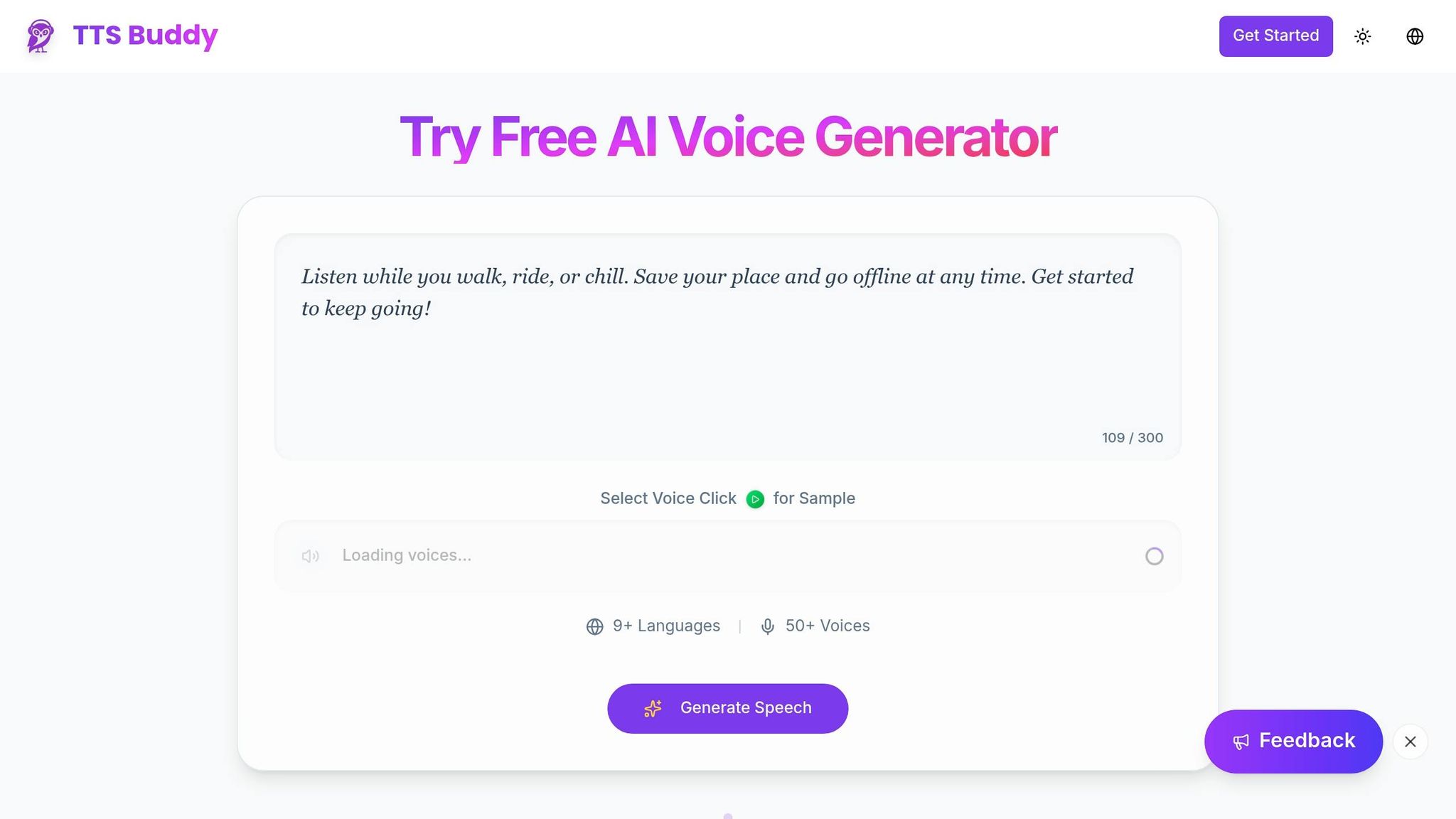
Once you've mapped out tasks using conversational AI, you can take it a step further by turning those plans into audio cues. This is where TTSBuddy comes in, transforming written plans into audio that aligns with the way your ADHD brain processes information.
"For the neurodivergent brain, TTS is a productivity prosthetic. It bridges the gap between your high intelligence and your bottlenecked processing speed" – Ankit Agarwal, Marketing Head at Kveeky [21]
Turning Task Plans into Audio
TTSBuddy makes it incredibly simple to convert written task plans into audio. With just one click, it processes your text, cleaning up any formatting issues before narration begins. The platform offers 58 voices across 10 languages, so you can pick the tone and style that resonate with you.
A standout feature is its bimodal presentation: you can follow along with the text while listening to the narration. This dual-coding method acts as a focus anchor, helping to overcome common working memory challenges associated with ADHD. Many users even find that speeding up playback to 1.5x or 2x matches their faster cognitive processing, improving focus and retention [21]. By integrating audio, TTSBuddy transforms task planning into a sensory experience, complementing earlier ADHD management strategies.
Offline Audio Access
TTSBuddy doesn’t stop at audio conversion. Its Chrome extension, "Web Buddy", syncs your converted plans to a centralized "Listen Link" dashboard that you can access from any device. On the free plan, you can download up to 30 audio files per month, making it easy to listen offline. This feature turns everyday moments - like commuting, folding laundry, or exercising - into opportunities to absorb your task list, especially during those low-motivation periods [22].
Multiple Languages and Device Compatibility
With support for 58 voices in 10 languages, TTSBuddy ensures flexibility in how you engage with your task plans. Plus, it syncs seamlessly across devices, allowing you to switch between desktop and mobile without missing a beat. Even on the free tier, you get access to essential features without needing to provide payment details.
"By letting the software handle the 'decoding' (turning letters into sounds), you free up mental RAM. Your brain no longer has to work to read; it only has to work to understand" – Ankit Agarwal [21]
Experiment with different voices and playback speeds to find the rhythm that keeps you focused and productive.
AI Prompts and Customization for ADHD Task Planning
When it comes to managing tasks with ADHD, customizing AI prompts can make a world of difference. Generic commands often lead to overwhelming lists, which can feel unmanageable. Instead, you can tailor prompts to transform the AI into an ADHD-friendly coach - one that breaks tasks into smaller steps, factors in energy levels, and uses encouraging language to help with task initiation.
Building Weekly Task Lists
Start by setting the tone for your AI. For instance, use a system prompt like: "You are a supportive virtual assistant specializing in ADHD. Begin by asking about my mood and energy levels before creating a task list." This simple tweak shifts the AI from being a rigid organizer to a more empathetic and helpful guide.
When planning your week, be upfront about your energy patterns. You might say: "Plan my workweek. I tend to have low energy on Mondays and Wednesdays, so spread out heavier tasks across other days." This helps balance your workload and avoids burnout. As Melissa Würtz Azari, Co-founder and CPO of Tiimo, puts it:
"Planning isn't just about making a to-do list. It's about figuring out where to start, what's actually realistic for a day, and how to follow through without getting stuck." [20]
Dividing Large Projects
Big projects can feel paralyzing, but breaking them down into smaller chunks can help. Instead of asking your AI to "plan my presentation," try: "Break down a 10-minute presentation into microtasks with estimated times for each step." This could include tasks like choosing a topic, drafting an outline, and creating slides. By turning a daunting project into manageable steps, you can reduce the sense of being overwhelmed.
If typing feels like too much effort, voice-to-text can be a lifesaver. Speak your ideas, and then instruct the AI to summarize them into three concise, prioritized bullet points. This approach works around executive function challenges, especially those tied to working memory.
Changing AI Communication Style
Your AI can also adapt its tone to match your mood or needs. You might request motivational messages for a boost or ask for casual, friendly reminders to make planning feel less stressful. Adding playful or lighthearted comments between tasks can also make the process more approachable.
For those who struggle with time blindness, prompts like: "Include reminders about the current time and suggest when to move on to the next task," can help you stay grounded throughout the day. These periodic check-ins reduce the need to constantly monitor the clock while keeping you on track. By tailoring these prompts, you can turn your AI into a flexible and supportive tool to navigate your day more effectively.
Conclusion
Conversational AI is reshaping how individuals with ADHD approach task planning. Acting as a kind of external brain, it helps manage organization, prioritization, and memory. By capturing racing thoughts through voice input, breaking overwhelming projects into smaller steps, and offering non-judgmental reminders, it creates a system that aligns with the way the ADHD brain works.
For adults with ADHD, productivity challenges are a daily struggle. Tools that simplify rather than complicate these processes are essential for addressing the real obstacles faced by millions.
TTSBuddy adds another layer of support by converting task plans and productivity content into natural-sounding audio. With 50+ voices across 9+ languages, it enables users to listen to their plans anywhere. Its one-click conversion and free access make it easy to stay on top of tasks, while offline downloads eliminate the need for constant internet access. The conversational webpage feature even allows for voice-command interaction with planning resources.
Ankit Agarwal, Marketing Head at Kveeky, captures this perfectly:
"For the neurodivergent brain, TTS is a productivity prosthetic. It bridges the gap between your high intelligence and your bottlenecked processing speed." [21]
By combining conversational AI for planning with TTSBuddy’s audio conversion, you create a system that reduces the mental strain of processing written information [21].
Start small - focus on one ADHD challenge, like task initiation. Then, use tools like AI and TTSBuddy to build a personalized system that works seamlessly with your needs. Together, they make task management more accessible and less overwhelming.
FAQs
Which tasks should I ask AI to break down first?
When faced with tasks that seem large, complex, or just plain overwhelming - like multi-step projects or ones you can't seem to start - AI tools can be a game-changer. They can break these down into smaller, more manageable pieces, making it easier to take that crucial first step and keep moving forward.
How do I set reminders that won’t stress me out?
AI tools specifically designed for ADHD can make setting reminders a breeze. These tools can help you organize your day by scheduling work sessions, factoring in preparation and wind-down time, and sending prompts that feel personalized.
Some solutions even use conversational AI or voice notes, letting you quickly log tasks by simply speaking. These tools then deliver reminders in ways that suit your preferences. By aligning with how you naturally work, they take the pressure off task management and help you stay more aware of your time.
How can TTSBuddy help me follow my plan when I’m away from my phone?
TTSBuddy helps you stick to your schedule by turning your tasks and instructions into natural, easy-to-listen-to audio. This means you can stay connected to your plans without needing to constantly check your device. It’s a practical way to keep your tasks within reach, no matter where you are.