How Browser Extensions Improve Accessibility with Audio Downloads

Browser extensions that convert text into downloadable audio make online content more accessible for people with disabilities, learning challenges, or busy lifestyles. These tools allow users to listen to articles, PDFs, and documents in natural-sounding voices, even offline. Key benefits include:
- For Visual Impairments: Hands-free access to content, bypassing limitations of traditional screen readers.
- For Dyslexia and ADHD: Features like text highlighting and distraction-free modes improve focus and retention.
- Offline Listening: Audio files in formats like MP3 and WAV can be saved for use on any device.
- Enhanced Usability: AI-powered voices handle punctuation, proper nouns, and emotional tones, creating a podcast-like experience.
Read Aloud Review : A Text-to-Speech Extension | AT Insider
How Browser Extensions Create Downloadable Audio Files
Browser extensions transform text into audio through a step-by-step process. The first step involves extracting the text from a webpage. Tools like Mozilla Readability or Defuddle are often used to strip away unnecessary elements such as ads, navigation menus, and sidebars, leaving only the main content. To maintain structure while eliminating distractions, some tools convert the cleaned text into Markdown format [6]. Once the text is simplified, the extension breaks it down into smaller, manageable segments for smoother audio generation.
After cleaning the text, the extension divides it into smaller blocks, like sentences or paragraphs. This segmentation ensures the tool can process audio for one section while you're listening to another, creating a seamless experience. The next step involves connecting to a text-to-speech (TTS) engine. Some extensions use cloud-based services like Microsoft Azure, Google TTS, or OpenAI for generating high-quality audio. Others rely on locally downloaded voice models, such as the Kokoro-TTS model (about 300 MB) or the lighter Piper model (around 100 MB). These models run directly in your browser using WebGPU and ONNX runtime, eliminating the need for constant internet access [6].
Text-to-Speech Conversion Technology
Modern TTS engines have come a long way, producing voices that sound natural and handle complex elements like proper nouns, punctuation, and even emotional tones. Extensions that operate with local processing download voice models to your browser's storage. Once the initial setup is complete, these models allow offline functionality. As WithAudio explains:
The first time you use it, your browser will download a voice model... Once that's done, everything runs locally and even works offline [6].
For those seeking even higher-quality audio, some extensions use native messaging to connect with desktop applications. This method leverages advanced TTS engines and premium voices installed on your computer [2]. The generated audio stream is then captured and encoded, making it ready for download.
Downloading Audio for Offline Listening
After the TTS engine processes the text, the extension prepares the audio for offline use. The audio is encoded into standard file formats like MP3, WAV, Opus, or AAC. For instance, AudioTTS supports multiple file formats, including MP3 and Opus, for user convenience [1]. Once the file is ready, a "Download" button appears, allowing users to save the audio through their browser's download manager directly to local storage.
To enhance accessibility, many extensions maintain a synchronized mapping between text and audio timestamps. This feature enables real-time text highlighting while the audio plays, which can be helpful for users who want to follow along visually [6]. Once downloaded, these audio files can be transferred to various devices, such as smartphones, tablets, or MP3 players, making them perfect for listening during commutes, workouts, or any situation without internet access.
How Audio Downloads Improve Accessibility
Downloadable audio files created by browser extensions bring substantial benefits to users with disabilities and varied learning preferences. These tools are changing how individuals with visual impairments, learning disabilities, and attention challenges interact with online content. Research highlights their potential to reshape digital content consumption for these groups.
Better Access for People with Visual Impairments
For individuals with visual impairments, downloadable audio offers a critical alternative to traditional screen readers. While screen readers are widely used, they often struggle with complex or dynamic web content. Browser extensions address this gap by providing alternative ways to navigate and interpret information. A review of 33 studies involving 502 participants found that software-based assistive technologies, including browser extensions, significantly improve web navigation for those with visual impairments [9].
The portability of downloadable MP3 audio files adds another layer of convenience. Users can listen on mobile devices or tablets, making it easier to access information during commutes or in areas with limited connectivity [8][3]. Extensions like Speechify - used by over 50 million people - include features like screenshot OCR, which can read text from images or scanned PDFs. This functionality is especially helpful for content that standard screen readers cannot process [8][3]. Additionally, for sensitive materials like medical records or contracts, extensions that support offline processing ensure privacy by handling data locally rather than relying on cloud servers [3].
These tools not only assist users with visual impairments but also cater to those who benefit from multitasking or strategies to maintain focus.
Help for Multitasking and ADHD
Downloadable audio also supports multitasking and engagement, particularly for users with ADHD. By converting text into audio, users can absorb information while performing activities like commuting, walking, exercising, or doing household chores. This capability is especially useful for individuals with ADHD, who often find it easier to focus while engaged in physical activities. Many extensions offer features like "Reader View" or "Immersive Reader" modes, which remove distractions such as ads and unnecessary visuals, helping users concentrate on the core content [7][10].
Another advantage is the ability to listen at accelerated speeds. For example, Speechify allows playback at up to 4.5x speed (equivalent to 900 words per minute). Combined with AI-powered summarization tools, these features make it easier to process lengthy articles without feeling overwhelmed [8][10].
Better Understanding and Memory Retention
Structured audio formats help reduce cognitive load, improving understanding and memory retention. Research has shown that this approach leads to less frustration and better task performance [11][9]. As noted in a study from the ACM International Conference on the Design of Communication:
Audemes required lower mental and temporal demands and led to less effort and frustration and better task performance. - ACM International Conference on the Design of Communication [11]
When complex visual elements like tables are converted into structured audio, users can adopt more effective search strategies and make sense of the content more easily. Comparative studies reveal that participants using structured audio report greater confidence and better recall of information compared to those relying on linear audio streams [12]. The consistent and predictable presentation of downloadable audio helps users synthesize information across different sections of a document more effectively than traditional screen readers [12]. Furthermore, research shows that blind individuals process auditory spectral cues more efficiently than sighted individuals, making audio an especially effective medium for comprehension [11].
TTSBuddy: A Browser Extension for Accessible Audio
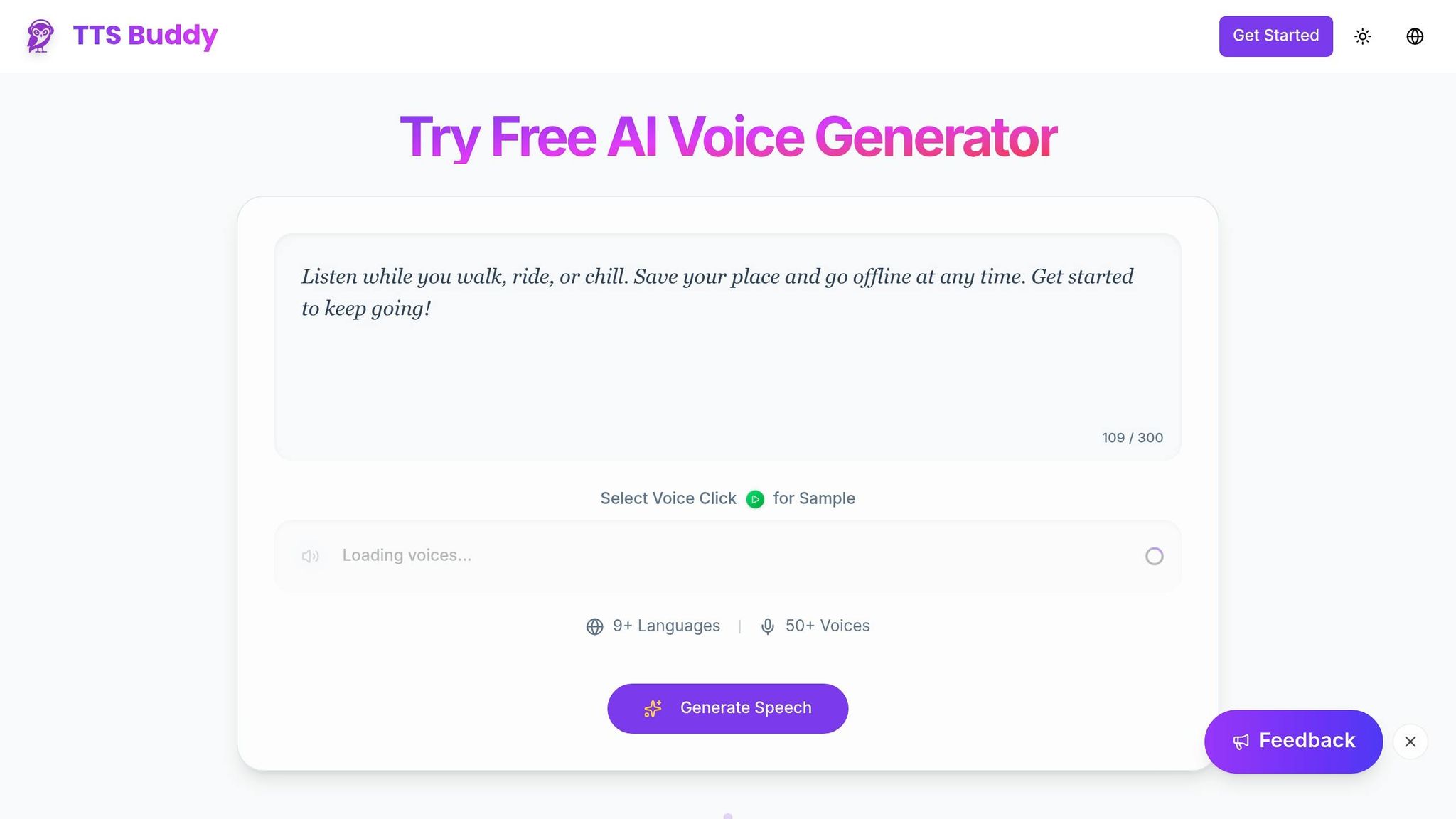
TTSBuddy takes the convenience of offline audio conversion and pairs it with AI-powered voices to tackle accessibility challenges. These natural-sounding narrations make it easier for users to engage with long-form content, offering a straightforward way to learn through listening - all without paywalls [13].
What TTSBuddy Offers
With just one click, the Web Buddy Chrome Extension transforms any webpage into audio [14]. The converted audio is automatically saved to your Listen Link Library, a synchronized library accessible across devices - whether you're on a desktop, smartphone, or tablet. This syncing means you can convert an article on your laptop and listen to it later on your phone during a commute.
TTSBuddy provides over 50 lifelike voices in more than 9 languages, with playback speeds adjustable between 0.5x and 1.5x to suit individual preferences [14]. The free plan includes 120 minutes of text-to-speech and 30 downloads per month, all without needing a credit card [15]. For those requiring more, the Pro plan ($9.99/month) offers 1,200 minutes and unlimited downloads, while the Ultimate plan ($49.99/month) provides unlimited text-to-speech and up to 300 Web Buddy requests [15].
Additionally, a dedicated TTS page allows users to paste up to 500,000 characters or upload PDFs for audio conversion [14]. For those sensitive to bright screens, the dashboard includes a Dark Mode toggle. It’s also available in six languages: English, Spanish, French, Chinese, Portuguese, and Japanese [14].
These features not only simplify content conversion but also enhance accessibility for users with varied needs.
How TTSBuddy Helps Users with Accessibility Needs
TTSBuddy’s features go beyond offline audio conversion to address a variety of accessibility challenges. Offline downloads are especially valuable for users with visual impairments, ensuring they can access information even in areas with poor connectivity [13][14].
The platform’s natural AI voices reduce the strain caused by robotic audio, making it easier to follow long articles or documents [13]. Adjustable playback speeds are particularly helpful for users with ADHD, allowing them to focus better and match their processing pace [13][14]. By combining customizable playback, cross-device syncing, and offline functionality, TTSBuddy creates a flexible tool that meets the needs of diverse users.
Research Findings and What's Next
What Research Shows About Accessibility Improvements
Studies show that browser extensions designed for audio downloads can make a big difference for users. For instance, integrating text-to-speech tools can cut content consumption time by 40%, while voice input proves to be about three times faster than typing, with error rates dropping by 60%. For individuals with motor disabilities, these technologies can boost text input speed by an impressive 300% [5]. However, it's worth noting that automated accessibility checkers currently identify only about 17% of all accessibility issues [16]. These insights highlight the potential for continued innovation in the field of accessibility.
With these benefits already evident, the future holds even more promise for improving how browser extensions meet diverse accessibility needs.
Future Developments in Browser Extensions
Upcoming browser extensions are set to prioritize privacy, with speech processing handled locally through native APIs - ensuring that sensitive data stays on the user's device [5]. Developers are also refining intelligent content parsing techniques, making it easier to separate main content from navigation elements, which results in clearer and more structured audio output [5]. On top of that, features like AI-driven summarization and sentiment analysis are on the horizon, adding emotional nuance to audio content. The transition to Manifest V3 will further bolster security, privacy, and overall performance [17]. Looking ahead, voice-controlled navigation is expected to enable hands-free interaction with websites, making browsing even more accessible [5].
Conclusion
Browser extensions that turn web content into downloadable audio are making the internet more accessible for everyone. These tools tackle real challenges faced by individuals with visual impairments, dyslexia, ADHD, and other needs by offering features like natural-sounding voices and offline listening. A great example is TTSBuddy, which provides free text-to-speech conversion with over 50 voices in 9+ languages. It even allows users to download audio for offline use. Its Chrome extension adds another layer of convenience by enabling conversational interactions with web pages, making navigation easier for those who find complex layouts overwhelming.
Studies have shown that combining audio and visual learning can boost retention by 60% [4]. These tools not only improve comprehension but also offer flexibility for people who need to access information while commuting, exercising, or in areas without internet access.
Future developments, like privacy-focused local processing and voice-activated navigation, promise to make these tools even more effective. By processing speech conversion directly on a user’s device, sensitive information stays private while still providing high-quality audio. These advancements ensure that as browser extensions improve, they will continue to meet the diverse needs of users.
The ability to download audio from web content is a game-changer for accessibility. It transforms the online experience into something inclusive, efficient, and empowering for millions of people.
FAQs
Is my text processed locally or in the cloud?
Your text is handled directly within your browser, ensuring complete privacy. This method not only keeps your data secure but also delivers fast, real-time performance without relying on external servers.
What file format should I download (MP3, WAV, Opus, AAC)?
When it comes to downloading audio files, formats like MP3, WAV, Opus, and AAC are commonly recommended. Among these, MP3 stands out as a popular choice because it offers a balance of wide compatibility and solid sound quality. However, the ideal format depends on your specific requirements and the unique features each extension provides.
How accurate is text extraction from PDFs, tables, and images?
The precision of extracting text from PDFs, tables, and images largely hinges on the technology driving the process. OCR (Optical Character Recognition) techniques have made strides in retrieving structured data, but they still face hurdles when dealing with complex tables or images embedded within documents. Recent studies point to continuous advancements aimed at improving how accurately these tools handle detailed or intricate content.